How Many Questions Should a Learning Video Have?
Choose the right number of questions for a learning video using its objectives, concept boundaries, response effort, and learner needs, not an arbitrary timer.
Most learning videos need fewer questions than their creators first imagine. The goal is not to interrupt often. The goal is to give viewers a useful reason to retrieve, apply, predict, or explain what they have just seen.
For many videos between 5 and 15 minutes, two to four well-chosen questions is a sensible starting point. Treat that as a planning range, not a formula. The right count depends on how many important ideas the video teaches, what learners must do with them, and how much effort each response requires.
The short answer
Start with one question for each major learning decision that deserves an immediate response. In a short, focused video, that often produces this first draft:
First-draft ranges
Use these to begin planning, then revise around the actual learning job.
3 to 5 minutes
1 to 2 questions
One focused concept, demonstration, or decision
6 to 10 minutes
2 to 4 questions
Two or three meaningful sections with a recap or application
11 to 15 minutes
3 to 5 questions
Several related concepts that still form one coherent lesson
16 to 25 minutes
4 to 7, or split the video questions
A longer lesson that needs clear sections and deliberate breathing room
Before adding anything, write the video's learning objective in one sentence. Then identify the moments when a response would reveal whether the viewer can meet it. That usually produces a better count than dividing the runtime by two or three.
Why there is no universal questions-per-minute rule
Retrieval practice has a strong research foundation. In controlled experiments, retrieving studied material produced better delayed retention than spending the same opportunities restudying it. That supports asking learners to bring important knowledge to mind, but it does not establish one ideal number of questions for every video.
A particularly relevant study by Szpunar, Khan, and Schacter used a 21-minute statistics lecture divided into four segments of about 5.5 minutes. Learners in the tested condition answered six questions after each segment. They reported less mind wandering and performed better on later tests than comparison groups. A later 40-minute lecture study also found that interpolated tests improved overall learning and the integration of related ideas.
Those studies show that testing between coherent lecture segments can be valuable. They do not prove that every creator should add six questions every five minutes. The experiments used particular learners, content, question sets, and controlled schedules. Their best design lesson is to place retrieval after a meaningful segment and give it a clear purpose.
Research on learner-controlled multimedia segmentation points in the same direction: breaks work best when they respect how an explanation is organized. A question should arrive after the evidence is complete, not because a timer reached an arbitrary interval.
Start with a practical range
Use the ranges above to stop a blank planning document from becoming a guessing exercise. Then test each candidate question against three filters:
- Importance: Does the answer provide evidence about a stated objective, safety decision, misconception, or next action?
- Distinctness: Does it reveal something that the other questions do not already reveal?
- Timing: Has the learner seen enough information to answer fairly at this point?
If a question fails one filter, remove it or rewrite it. If an important objective has no question at all, add one at the first fair opportunity.
Timer-led plan
The video is 12 minutes long, so add a question at 2, 4, 6, 8, and 10 minutes.
Evidence-led plan
The video teaches three decisions, so ask after the demonstration, after the worked example, and at the final transfer scenario.
Count learning decisions, not minutes
A learning decision is a point where the viewer can now do something meaningful that they could not do before. It might be identifying a hazard, choosing the next procedure step, calculating a value, explaining a cause, or distinguishing two similar concepts.
Make a simple content map before choosing question types:
Divide the video into complete ideas
Mark the end of each explanation, demonstration, example, or decision sequence. Do not split an idea merely to create regular intervals.
Name the evidence that matters
For each section, state what a useful response would prove: recall, discrimination, application, reasoning, confidence, or preference.
Keep only independent evidence
Combine questions that test the same fact in slightly different wording. Preserve prompts that reveal different misconceptions or skills.
Choose the lowest-friction response
Use a quick selection when it is sufficient. Ask for typing, calculation, or explanation only when that action is part of the evidence you need.
Adjust for response effort
Four questions can feel light or exhausting. The difference is response cost. Selecting one clear option may take seconds. Reading a case, calculating a result, and explaining a decision may take several minutes.
True / false or a brief poll
Low
Can the viewer judge one clear claim without rereading?
Multiple choice
Low to medium
How much scenario text and option comparison is required?
Fill in the blank or numeric input
Medium
Must the viewer retrieve, calculate, or type precisely?
Open response or explanation
High
How long will a useful answer take to plan and write?
Estimate the lesson as a complete experience, not just as a media runtime. A 10-minute video with three 20-second checks remains close to 11 minutes. The same video with three two-minute reflections becomes a 16-minute task, before feedback or review time is included.
Question density examples
A 4-minute safety demonstration
Two questions may be enough: one immediate hazard decision after the risk becomes visible, then one sequence question after the complete procedure. The short runtime does not make either question unnecessary because the decisions are central to safe performance.
A 9-minute concept explanation
Use three questions: a prediction before the reveal, a comprehension check after the main explanation, and an application scenario near the end. Keep the prediction ungraded if the viewer has not yet been taught the answer.
A 12-minute worked problem
Two questions may work better than five. Let the instructor complete the setup, ask the viewer to calculate the next step, then finish with a new problem that tests transfer. Frequent pauses during the setup would break the reasoning chain.
An 18-minute onboarding video
Four or five brief moments may be appropriate if the video covers one coherent workflow. If it introduces unrelated policies, tools, and people, split it into smaller videos so each lesson has a clear purpose and a manageable response burden.
Signs you have too many questions
- Two questions would lead to the same teaching decision.
- A prompt arrives before the explanation or demonstration is complete.
- The viewer spends more time decoding prompts than engaging with the lesson.
- Several low-value recall items delay a more meaningful application task.
- Markers form a dense cluster that you cannot explain instructionally.
- A pilot viewer describes the experience as a test with video between items.
Start by removing duplicate evidence. Then combine closely related facts into one scenario, or move a longer assessment outside the video. A question does not become valuable merely because it is easy to grade.
Signs you have too few questions
- An important objective is never practised or checked.
- Viewers can reach completion without making the lesson's central decision.
- One final question tries to cover several unrelated sections.
- The retention curve is weaker in the range before an active moment.
- Learners report that they understood the video, but cannot apply it later.
Add a question only where the response will change feedback, reveal a gap, prepare the next section, or give the learner useful retrieval practice. Decorative activity is still distraction.
Build a first draft in Interakly
In Interakly, each question lives at an authored moment on the video timeline. Use the timeline as a density map. It should show a deliberate rhythm that follows the lesson, not mechanically even spacing.
Create or open the video experience
Use a supported, embeddable public or unlisted YouTube source, or upload your own video. Confirm that it plays correctly before authoring questions.
Mark the concept boundaries
Watch the real video and note where each complete explanation, example, or decision finishes.
Add the response that matches the evidence
Choose a supported question type, then configure its content, answer rules, feedback, and points.
Preview the arrival and the resume
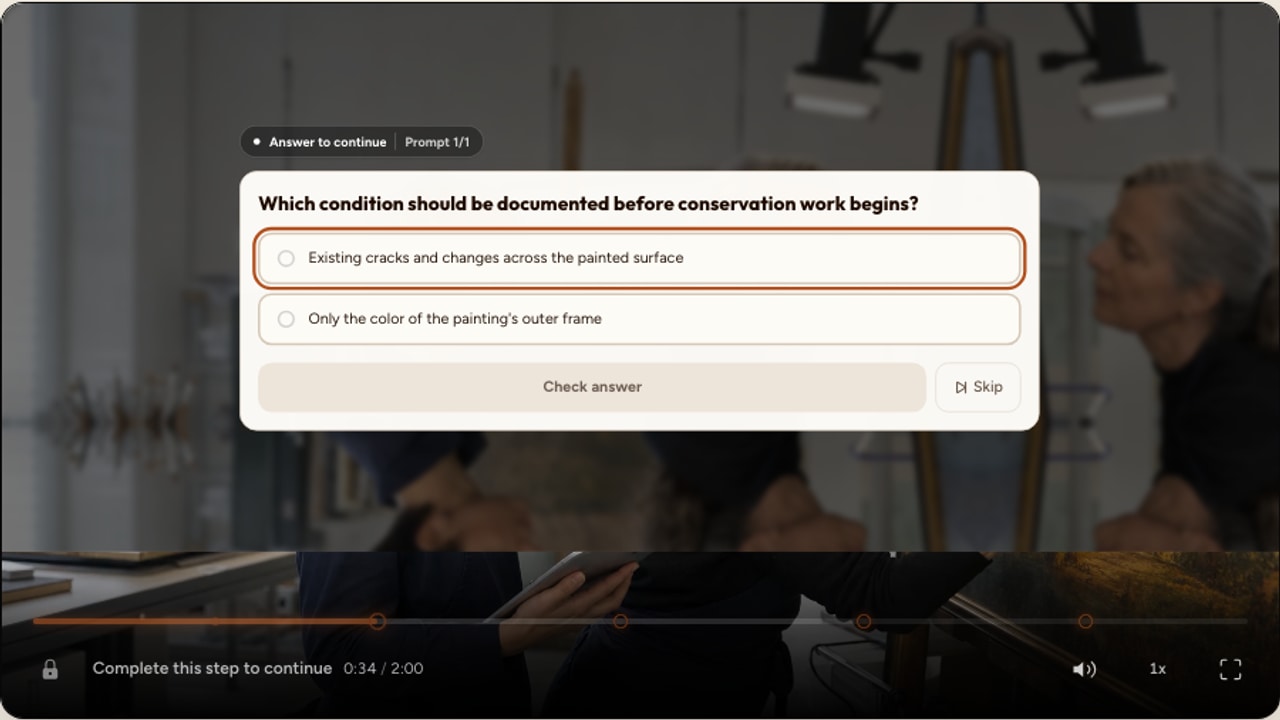
Approach each timestamp through normal playback, answer as a viewer, and confirm the return to the video feels coherent.
Run the complete lesson on desktop and phone
Measure total completion time, check every response path, and confirm that the full interaction remains usable inside the player.
Use the video-level Player settings control called Pause on question when response moments should hold playback. A configured answer key can support objective grading. Polls, confidence checks, and many reflections should remain ungraded. Free responses without configured grading criteria require review rather than pretending that an immediate score is final.
Use results to revise the count
Publish a first version, then evaluate each question rather than only the average score. Response distributions, completion, and watch activity or retention near each question can reveal different problems.
- Most viewers choose the same wrong answer: inspect the explanation and feedback before changing the count.
- Watch activity drops near a question: check its wording, effort, placement, and mobile presentation.
- Several questions are nearly always correct: decide whether they build confidence or simply repeat obvious information.
- A long section overlaps with weaker retention: consider a meaningful checkpoint, a clearer edit, or a shorter video. Do not assume a question alone will repair weak content.
- Responses need more thought than expected: reduce nearby prompts or tell viewers how long the full experience will take.
Change one thing at a time when possible. Moving a question, rewriting its options, and changing the video simultaneously makes the next result hard to interpret.
A final question-density checklist
- Every question maps to a stated learning objective.
- Every question collects distinct and useful evidence.
- The relevant explanation or demonstration is complete before the prompt.
- The response format matches the thinking the learner must demonstrate.
- Ungraded prompts are not presented as right or wrong.
- Total response time is included in the expected lesson time.
- Clusters and long gaps are intentional.
- Feedback teaches something useful after the response.
- The complete path works in the published desktop and phone player.
- Post-release data will be used to keep, move, rewrite, or remove questions.
Sources
- Szpunar, K. K., Khan, N. Y., and Schacter, D. L. (2013). Interpolated memory tests reduce mind wandering and improve learning of online lectures. Proceedings of the National Academy of Sciences, 110(16), 6313–6317.
- Jing, H. G., Szpunar, K. K., and Schacter, D. L. (2016). Interpolated testing influences focused attention and improves integration of information during a video-recorded lecture. Journal of Experimental Psychology: Applied, 22(3), 305–318.
- Roediger, H. L., and Karpicke, J. D. (2006). Test-enhanced learning: Taking memory tests improves long-term retention. Psychological Science, 17(3), 249–255.
- Mayer, R. E., and Chandler, P. (2001). When learning is just a click away: Does simple user interaction foster deeper understanding of multimedia messages?. Journal of Educational Psychology, 93(2), 390–397.
FAQ
How many questions should a 5-minute learning video have?
Start with one or two purposeful questions. One may be enough when the video teaches a single compact idea. Use two when viewers need to retrieve one key point and then apply or summarize it. Remove either question if both collect the same evidence.
How many questions should a 10-minute learning video have?
Two to four questions is a sensible first draft for many 10-minute learning videos, but it is not a research-backed universal rule. Map one question to each important concept, decision, or application point, then test the full viewing experience and adjust for response effort.
Should I add one video question every two or three minutes?
Use that only as a rough drafting prompt, not as a standard. A complete explanation may need five uninterrupted minutes, while a one-minute safety demonstration may justify an immediate decision. Place questions after learners have seen enough evidence to answer fairly.
Can a learning video have too many questions?
Yes. The video has too many questions when similar prompts repeat the same evidence, explanations are interrupted before they are complete, or response time begins to dominate the lesson. Combine, remove, or move those questions to a separate assessment.
Do polls and reflections count toward question density?
They should count toward the viewer's interaction burden even when they are ungraded. A poll may take only a few seconds, while an open reflection may take a minute or more. Budget the time and attention required by every response, not only scored questions.
Should every question pause the video?
Pause when the viewer must read, retrieve, decide, or submit before the lesson can continue coherently. A lightweight prompt may not need to block playback if it remains understandable and accessible. Preview the exact arrival and continuation in the real player.
How to Add Quizzes to Video
Choose question types, feedback, scoring, and a practical authoring workflow.
Interactive Video Best Practices
Review the complete planning, question, feedback, mobile, and release checklist.
Where to Place Interactions in a YouTube Video
Apply the timing framework to a supported YouTube source in Interakly.
Build a video that asks only what matters
Place purposeful questions on the timeline, preview the complete learner path, and improve the experience with real response evidence.
Explore video interactions