20 Interactive Video Examples and Why They Work
Explore 20 practical interactive video examples for teaching, training, and marketing, with the right interaction, timing, learner action, and design caution.
A useful interactive video example is more than a video with a question attached. It connects one meaningful moment to one clear viewer action: retrieve an idea, make a judgment, explain evidence, inspect the frame, or take the next step.
The 20 patterns below are written as adaptable briefs. Each one tells you what to add, when it should appear, what the viewer does, why the pattern helps, and what commonly weakens it.
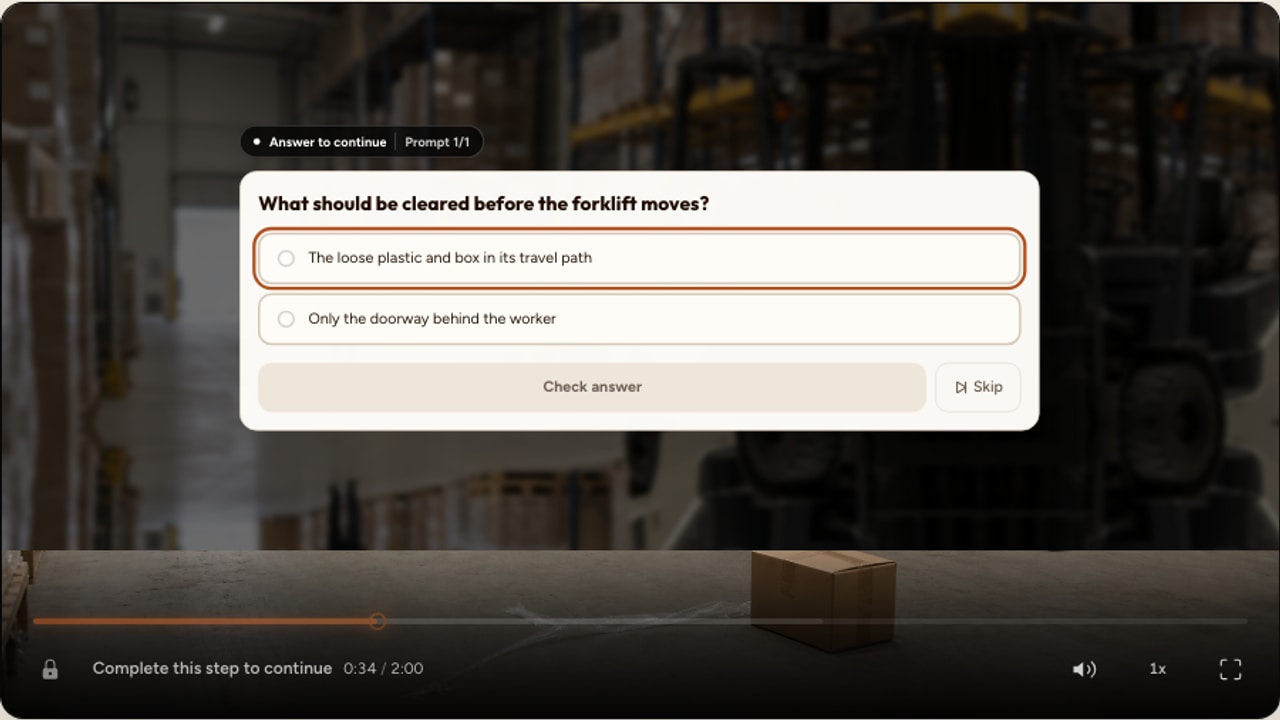
What makes an interactive video example useful?
A strong example has five parts:
- A purpose: the interaction serves a learning, training, communication, or conversion goal.
- A fair moment: the viewer has the context needed to respond.
- One clear action: the prompt does not ask several questions at once.
- A useful response: feedback, explanation, results, or a next step closes the loop.
- A source that supports it: the design respects the difference between YouTube-safe overlays and uploaded-video spatial tools.
Choose by the action you need
Do not begin with the longest interaction menu. Finish this sentence: “At this moment, the viewer should…” The verb usually points to the right family.
Understand or revisit
Chapter, info card, or timed reveal
Recognize or calculate
Multiple choice, true or false, fill blank, or numeric input
Organize relationships
Ordering, matching, mark words, or drag words
Explain or reflect
Open response, audio response, poll, or rating scale
Act next
Form, timed call to action, comment, or navigation moment
Locate or choose a path
Uploaded-video hotspot or complete branching scenario
Guide attention and explain
These patterns help viewers find the structure of a video and understand an important point without turning every moment into a test.
Chaptered lecture
University lecture or recorded workshop
- Interaction
- Chapter
- Best moment
- At each genuine topic change
Viewer action: Uses the chapter moments to understand and revisit the structure.
Why it works: The viewer can see where one idea ends and another begins, which makes a longer recording easier to navigate and review.
Watch out for: Do not create chapters for every slide. Name meaningful sections that a viewer would want to find again.
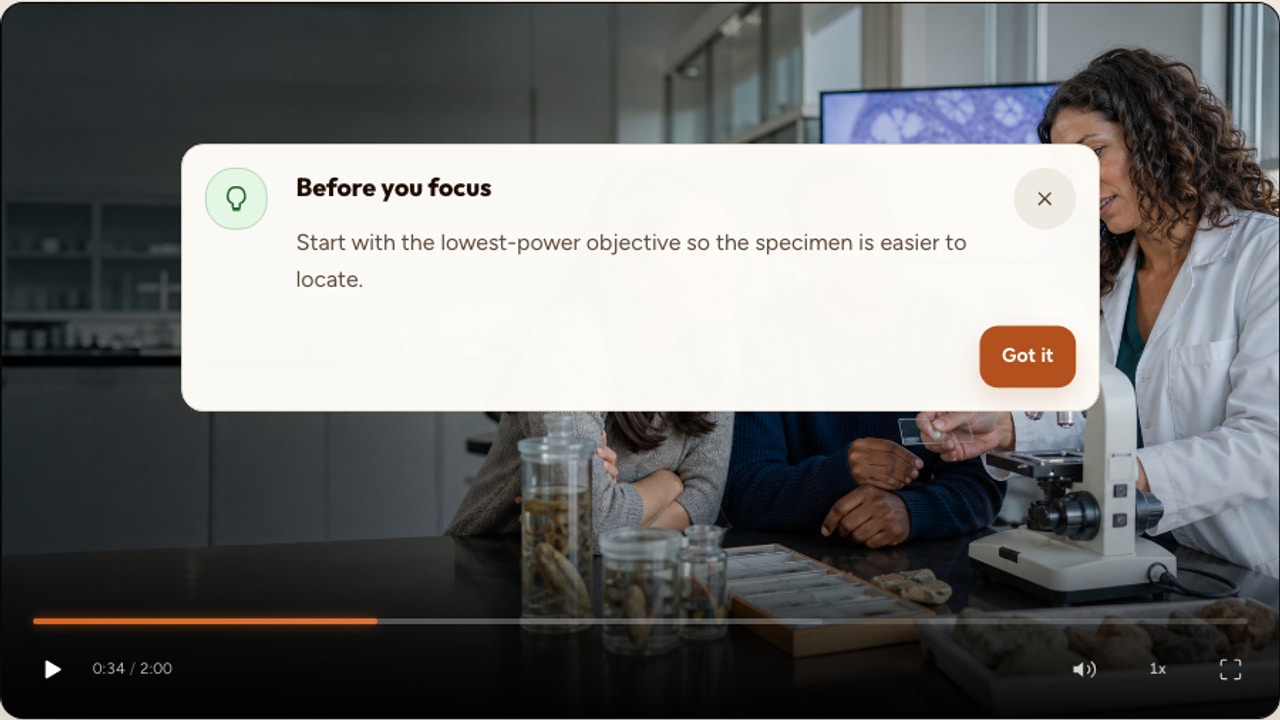
Definition at the point of need
Science, policy, or product explanation
- Interaction
- Info card
- Best moment
- Immediately after a specialist term first appears
Viewer action: Reads one short definition while the example is still in view.
Why it works: The explanation arrives in context, so the viewer does not need to leave the video or remember to look up the term later.
Watch out for: Keep the card shorter than the spoken explanation. If it needs several paragraphs, link to a separate resource instead.
Answer reveal after a worked example
Maths, coding, or exam preparation
- Interaction
- Timed reveal
- Best moment
- After viewers have had time to attempt the step
Viewer action: Compares their own result with the revealed answer or explanation.
Why it works: A deliberate pause before the reveal creates an opportunity to think, while the reveal closes the loop without requiring a graded response.
Watch out for: Make the thinking time explicit. A reveal that arrives too quickly becomes decoration rather than practice.
Check understanding
Use these when you need evidence that the viewer understood a claim, distinction, procedure, or calculation.
Misconception check
Concept lesson or compliance training
- Interaction
- Multiple choice
- Best moment
- After the complete explanation and one example
Viewer action: Chooses the best interpretation from plausible options.
Why it works: A good distractor can reveal the exact misunderstanding that a correct-or-incorrect completion measure would miss.
Watch out for: Write options from real misconceptions. Joke answers make the question easy without making learning stronger.
Claim check
Safety, onboarding, or media literacy
- Interaction
- True or false
- Best moment
- After evidence for the claim has been shown
Viewer action: Judges one precise statement and reads the explanation.
Why it works: The two-option format keeps attention on the reasoning behind a focused claim.
Watch out for: Avoid statements that are only true under unstated conditions. Explain why the answer is correct instead of stopping at a red or green result.
Key term retrieval
Language, science, or professional vocabulary
- Interaction
- Fill in the blank
- Best moment
- After the term has been explained in context
Viewer action: Retrieves the missing word or short phrase.
Why it works: The viewer must produce the term rather than recognize it in a list, while the sentence keeps the task bounded.
Watch out for: Accept reasonable variants where the configuration allows it. Do not make spelling the hidden learning objective unless spelling matters.
Calculate from the demonstration
Finance, engineering, dosage, or data training
- Interaction
- Numeric input
- Best moment
- After the necessary values and method have been shown
Viewer action: Calculates and enters the requested number.
Why it works: The response shows whether the viewer can use the method, not merely repeat a formula name.
Watch out for: State the unit and rounding rule. Configure a sensible tolerance when equivalent decimal answers are possible.
Put a procedure in order
Laboratory, equipment, or software training
- Interaction
- Ordering
- Best moment
- After the complete procedure has been demonstrated
Viewer action: Reorders the steps into the safe or effective sequence.
Why it works: Reconstructing the sequence checks the relationship between steps rather than recognition of isolated facts.
Watch out for: Do not score one order as correct when several sequences are genuinely valid. Explain why any fixed order matters.
Pair concept and example
Revision, classification, or product knowledge
- Interaction
- Matching
- Best moment
- After two or more related categories have been introduced
Viewer action: Matches each term with its definition, example, or consequence.
Why it works: The task checks several relationships in one compact activity and exposes which pairing causes confusion.
Watch out for: Keep both columns concise. Long matching sets create reading load that has little to do with the video.
Ask learners to construct an answer
These activities ask the viewer to produce, select, or organize evidence rather than choose a prepared claim.
Find the words that change the meaning
Language, legal reading, or source analysis
- Interaction
- Mark the words
- Best moment
- After the passage has been introduced
Viewer action: Selects the exact words that signal tone, obligation, comparison, or uncertainty.
Why it works: The response points to the evidence itself, making feedback more specific than a general comprehension question.
Watch out for: Use a short passage and a defensible answer set. If several phrases could be justified, the prompt needs revision.
Complete a sentence from context
Language practice or terminology review
- Interaction
- Drag the words
- Best moment
- After the viewer has heard the words used naturally
Viewer action: Places the available words into the appropriate blanks.
Why it works: The word bank lowers recall difficulty while still checking whether the viewer understands each word in context.
Watch out for: Remove accidental grammar clues that make the answer obvious without understanding the content.
Support a claim with evidence
History, science, or media literacy
- Interaction
- Evidence highlight
- Best moment
- After a source excerpt or argument has been presented
Viewer action: Selects the relevant evidence and explains why it supports the claim.
Why it works: The activity records both the chosen evidence and the viewer's reasoning, which is more diagnostic than asking for a conclusion alone.
Watch out for: Make sure the source contains enough evidence to answer fairly. Do not hide the task behind an overly long passage.
Collect judgment and reflection
Use these when the useful response is an opinion, confidence judgment, explanation, or spoken performance rather than a single correct option.
Prediction before a reveal
Experiment, case study, or market analysis
- Interaction
- Poll
- Best moment
- Immediately before the outcome is shown
Viewer action: Chooses the outcome they expect, then watches what happens.
Why it works: Committing to a prediction gives the viewer a reason to compare the result with their prior model.
Watch out for: Label it as a prediction and keep it ungraded. A wrong forecast is useful evidence for discussion, not necessarily failure.
Confidence checkpoint
Professional training or self-paced study
- Interaction
- Rating scale
- Best moment
- After a complex explanation or practice segment
Viewer action: Rates confidence before continuing or choosing what to review.
Why it works: The rating encourages self-monitoring and can show where confidence is lower than performance or higher than accuracy.
Watch out for: Do not interpret confidence as competence. Compare it with response evidence where possible.
Explain the decision in your own words
Case-based learning, coaching, or induction
- Interaction
- Open response
- Best moment
- After a decision point with enough context
Viewer action: Writes a brief recommendation and the reason behind it.
Why it works: A written explanation can reveal reasoning that a selected option would conceal.
Watch out for: Tell viewers what a useful response contains. If answers require human review, make that status clear rather than presenting a provisional score as final.
Practise speaking aloud
Language learning, sales coaching, or oral rehearsal
- Interaction
- Audio response
- Best moment
- After a model pronunciation or example response
Viewer action: Records and submits a spoken answer.
Why it works: The learner performs the skill in the same session instead of only listening to someone else demonstrate it.
Watch out for: Explain recording expectations and privacy. Keep the requested response short enough to review meaningfully.
Connect viewing to action
These examples help viewers supply structured information, discuss a precise moment, or take a relevant next step.
Post-demonstration checklist
Onboarding, consultation, or implementation planning
- Interaction
- Embedded form
- Best moment
- After the viewer understands what information is needed
Viewer action: Completes several related fields in one structured form.
Why it works: One coherent form is easier to understand than several disconnected prompts spread across the timeline.
Watch out for: Ask only for fields that serve the next step. Explain how submitted information will be used.
Offer the next step after proof
Product demonstration, customer education, or campaign video
- Interaction
- Timed call to action
- Best moment
- After the viewer has seen the feature, result, or evidence relevant to the offer
Viewer action: Opens the resource, trial, booking page, or implementation guide that logically follows.
Why it works: The action appears when the viewer understands why it is relevant instead of competing with the explanation too early.
Watch out for: Use one specific next step and make the destination clear. A generic promotional button weakens trust and distracts from the video.
Use spatial and branching experiences
These patterns depend on an uploaded video. Interakly must own the media surface for spatial coordinates and the segment graph for a complete branching scenario.
Find the safety hazard in the frame
Workplace, clinical, or equipment training
- Interaction
- Hotspot
- Best moment
- On a stable frame that clearly contains the relevant evidence
Viewer action: Selects the correct region on the video frame and receives targeted feedback.
Why it works: The response directly checks whether the learner can locate the visual evidence rather than name it from a list.
Watch out for: This is an uploaded-video feature. Keep the target large enough to select, avoid ambiguous regions, and test the saved geometry on mobile.
Decision and consequence scenario
Leadership, sales, safety, or customer service
- Interaction
- Complete branching scenario
- Best moment
- At a decision whose outcome is shown in another video segment
Viewer action: Chooses a response, watches the consequence, and can review the path taken.
Why it works: The learner practises a decision and sees a consequence instead of only reading a rule.
Watch out for: Complete segment-based branching requires uploaded video. Keep essential learning available on every valid path and test returns, endings, and scoring for each route.
Build one example in 15 minutes
You do not need to design all 20. Start with the moment in your existing video where the viewer most needs to think.
Write the viewer action
Use one verb: choose, order, explain, predict, locate, calculate, or continue.
Find the evidence
Identify the exact explanation, demonstration, frame, or source excerpt the viewer needs.
Place the interaction
Set it after the evidence is complete, unless the activity is explicitly a prediction before a reveal.
Write the response
Add feedback, an explanation, aggregate results, or a relevant next step that makes the action worthwhile.
Preview the complete moment
Check timing, legibility, source compatibility, playback behavior, and the phone-sized player before publishing.
Review before publishing
- Can the viewer explain why this interaction is here?
- Has the necessary evidence already appeared?
- Does the overlay leave essential visual information available?
- Is the interaction compatible with the chosen video source?
- Does feedback explain the idea or simply announce correctness?
- Can the complete experience be used at a phone-sized player?
- Will you use the response data to improve instruction, support, or follow-up?
Good first build: choose one existing video, add one misconception-focused multiple-choice question, write a useful explanation, and test the exact moment on desktop and mobile.
FAQ
What is an interactive video example?
An interactive video example is a concrete pattern that combines a video moment, a viewer action, and a useful response. It might pause for a question, reveal a short explanation, collect an opinion, ask the viewer to identify part of the frame, or offer a relevant next step.
Which interactive video example is easiest to build first?
Start with one multiple-choice question after a complete explanation. It is familiar to viewers, quick to author, and easy to test. Add feedback that explains the evidence, then preview the timing before adding more interactions.
How many interactions should a video contain?
There is no useful universal number. Add an interaction when the viewer needs to retrieve, decide, reflect, or act. Remove any prompt that repeats the same job, interrupts an unfinished explanation, or produces data you will not use.
Can these examples work with a YouTube video?
Most non-spatial examples can work with a supported, embeddable YouTube source. New YouTube authoring does not include spatial tools such as hotspots, image labels, annotation, drawing, workspaces, or embedded iframes. Complete segment-based branching also requires uploaded video.
Do all interactive video questions need to be graded?
No. Polls, rating scales, comments, and reflection prompts can collect useful input without a correct answer. Grade only when the response represents knowledge or performance that should count toward an outcome.
What makes an interactive video feel natural?
The interaction appears after the viewer has the context needed to respond, asks for one clear action, fits inside the video without hiding essential evidence, and gives a useful acknowledgement or explanation before playback continues.
What Is Interactive Video?
Understand the format, common mechanics, and decisions that distinguish interactive video from passive playback.
Interactive Video Interaction Types
Choose the right interaction family and check source compatibility before you author it.
How to Create Interactive Video
Turn one of these examples into a complete source, authoring, preview, publishing, and review workflow.
18 Interactive Image Examples
Compare video patterns with image-based explanation, spatial practice, and infinite zoom journeys.
Flipped Classroom Strategies with Video
See how interactive viewing can prepare learners for discussion and practice in class.
Interactive Video for Corporate Training
Adapt these patterns for onboarding, product knowledge, compliance, and workplace coaching.
Turn one useful moment into an interaction
Start with an existing video, choose one clear viewer action, and preview the real experience before adding more.
Explore video interactions