How to Generate a Quiz Draft from a YouTube Video
Generate a transcript-backed YouTube quiz draft in Interakly, review every question, handle caption and quota failures, then test the published learner experience.
A transcript-backed generator can remove the blank-page problem. It can propose timestamped questions from the spoken content, vary response formats, and give a creator a draft to review. It cannot decide what the lesson should teach, see every visual detail, repair inaccurate captions, guarantee an unambiguous answer, or validate the finished learner experience.
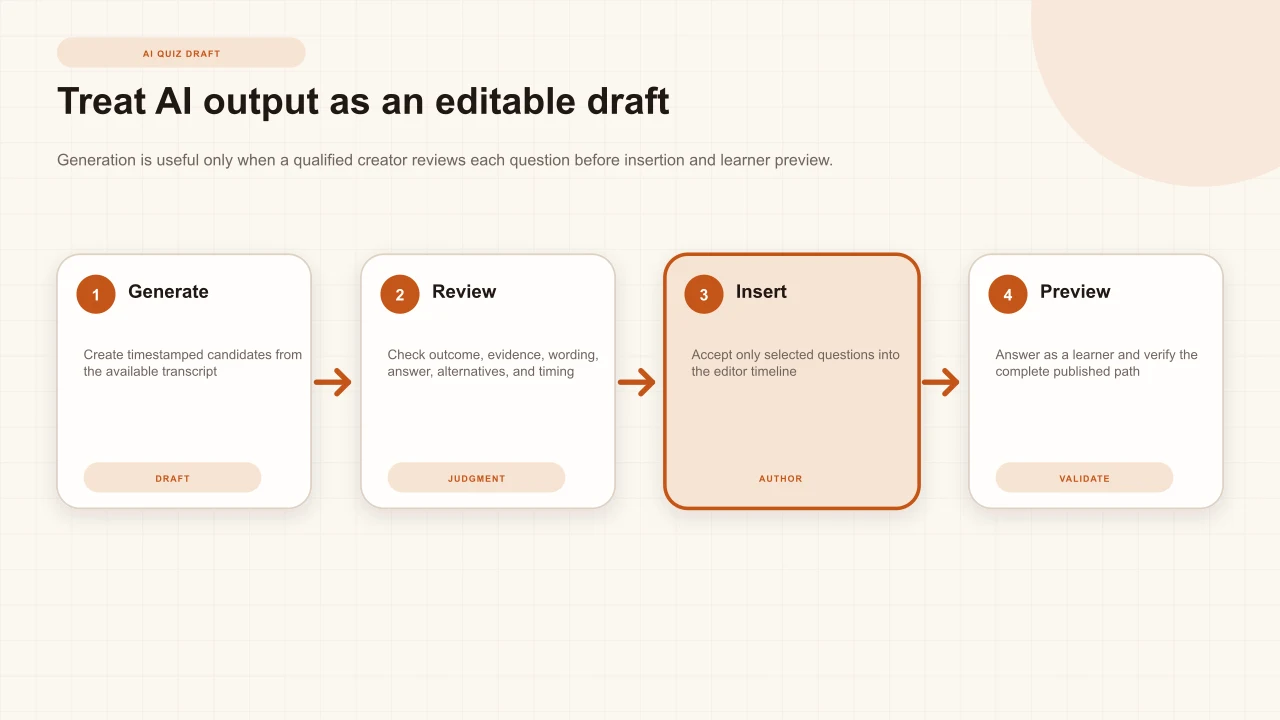
In Interakly, generation is an owner-only, signed-in authoring workflow. The current dialog configures a request, retrieves usable caption text, produces candidate questions, allows the creator to accept, skip, or regenerate candidates, and inserts only accepted items into the editor. Publication remains a separate deliberate step.
Understand what generation does
The generator uses available transcript text and timestamps to draft candidates. It can suggest a prompt, response format, answer configuration, and placement. The draft is useful when it accelerates a qualified creator's review; it is unsafe when it is treated as an answer key that no one checks. Start with the intended outcome and use generation to produce alternatives for consideration, not to define the curriculum.
Decide what a successful learner should be able to choose, explain, calculate, recognize, or apply after the video. Identify which parts of the source support that outcome. Then ask the generator for a proportionate draft. If you cannot state the outcome, more generated questions will create more editing work rather than better assessment.
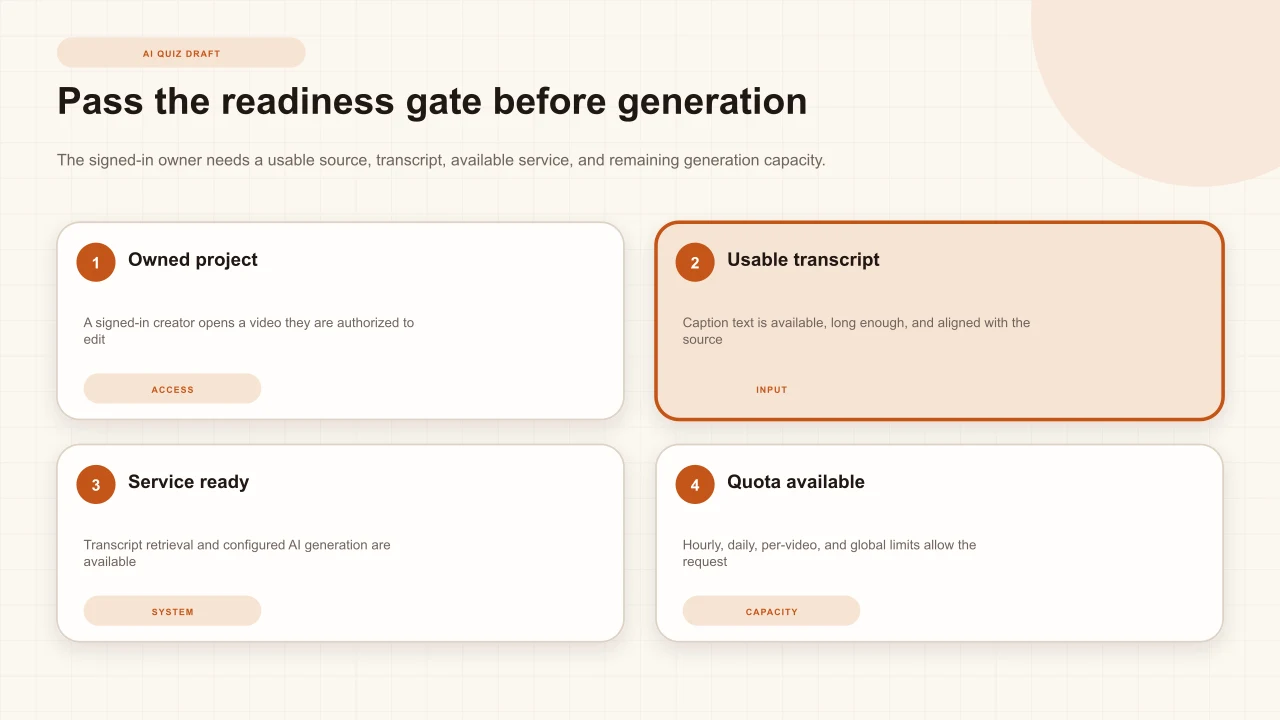
Pass the readiness gate
Sign in as the owner of the Interakly project and confirm the source is a supported public or unlisted YouTube video that can be embedded in the intended delivery context. The generator needs a usable transcript, access to the transcript-retrieval service, configured AI generation, and remaining capacity under current hourly, daily, per-video, and service-wide limits. The interface's current status is the authority for availability.
A valid video page is not enough. Private or restricted sources, disabled embedding, absent or inaccessible captions, very short transcript text, service interruption, or exhausted capacity can prevent generation. These states should remain specific: a quota error does not mean the transcript is bad, and a missing transcript does not mean AI generation is generally unavailable.
Create the interactive YouTube project first
Use the verified source, editor, timestamp, answer, preview, and publishing workflow before adding generated drafts.
Confirm the transcript is usable
Open the transcript from the YouTube video when available. YouTube explains that transcripts can be viewed for videos with captions and can be used to jump to timestamped sections. Read a representative sample and the passages that matter to the lesson. Confirm names, numbers, technical terms, sentence boundaries, speaker changes, and timing. A long transcript can still be unsuitable when the critical instruction is visual or the captions are inaccurate.
YouTube warns that automatic captions can misrepresent speech because of pronunciation, accents, dialects, background noise, or poor audio and recommends reviewing and editing them. That warning matters twice for generated questions: a caption error can enter the prompt and then be treated as the answer. If you do not own the source, do not assume you can correct its captions. Choose a different source, ask the owner to improve them, or author manually with a documented source review.
Open AI Quiz Generation
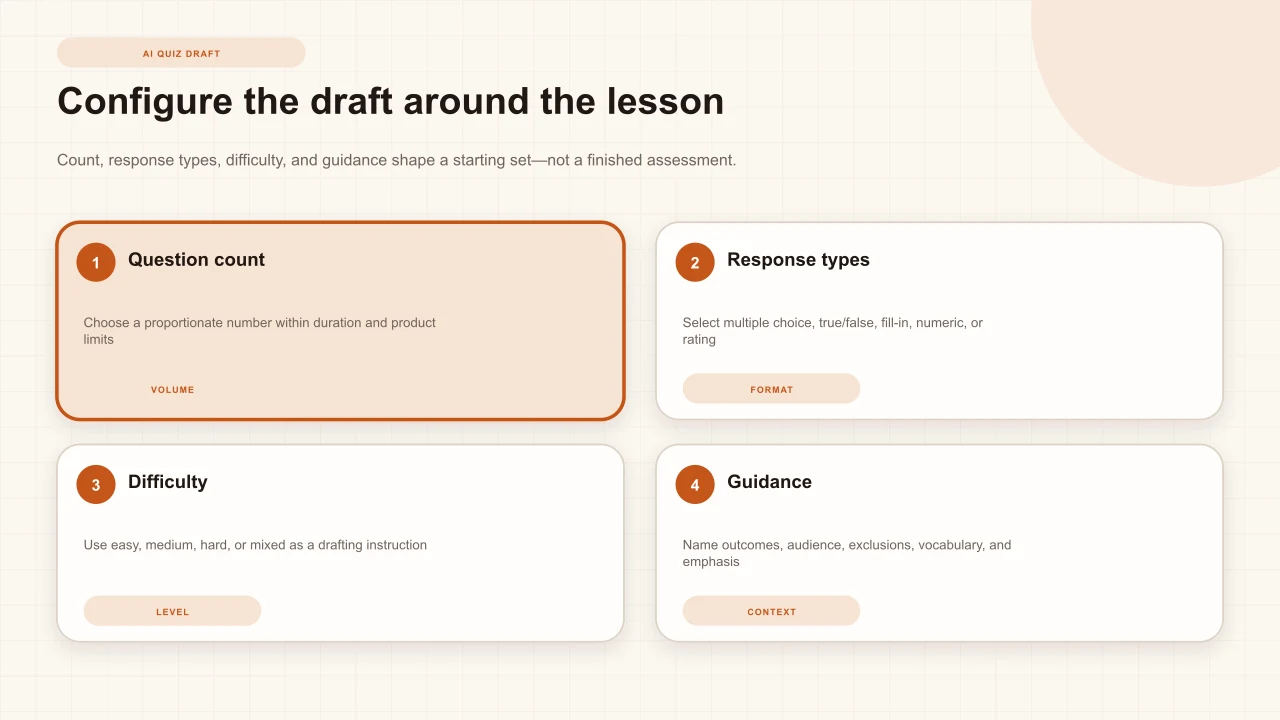
From the editable video project, open the AI Quiz Generation dialog. The configuration phase shows question count, allowed response types, difficulty, optional guidance, and current generation availability. Do not start by maximizing count. Scan the video's duration, conceptual structure, and existing interactions so candidates do not cluster around the same idea or turn every minute into a test.
If the dialog is unavailable, confirm identity and ownership before troubleshooting the source. If generation begins but transcription or transcript retrieval is still processing for a supported uploaded source, the workflow can report a pending state; YouTube relies on accessible caption text rather than an uploaded-media transcription job. Keep the source distinction visible.
Choose question count and types
The current dialog begins at a small minimum and constrains the maximum using source duration and product limits, with an overall generated-question ceiling. Choose fewer candidates when the video contains only one or two teachable decisions. More items are not automatically more valid, and a generated set can still be reduced during review.
Available request types include multiple choice, true or false, fill in the blank, numeric input, and rating scale. Match the format to the outcome. Multiple choice can represent distinct reasoning paths. True or false suits one precise proposition but reveals little about why. Fill-in and numeric input suit recall or calculation when spelling, units, and accepted variants are handled fairly. A rating scale collects judgment or confidence and should not be disguised as objective correctness.
Set difficulty and guidance
Difficulty is a drafting instruction, not a measured psychometric property. The dialog can request easy, medium, hard, or mixed candidates, but the actual demand depends on wording, prior knowledge, source evidence, response format, and audience. Review every item against the intended learner and task rather than trusting its label.
Use additional guidance to name the audience, outcomes, terminology, important decisions, exclusions, and desired balance. For example: “For new account-support agents, focus on the identity-verification sequence and safe escalation; avoid company-history trivia and questions about unspoken visual details.” Do not paste sensitive personal, confidential, regulated, or unauthorized material into guidance. Follow your organization's approved AI and data practices.
Thin guidance
Make difficult questions about the whole video.
Useful guidance
For first-line support agents, draft application questions about verification and escalation. Exclude names, decorative details, and material not stated in the transcript.
Review the generated draft
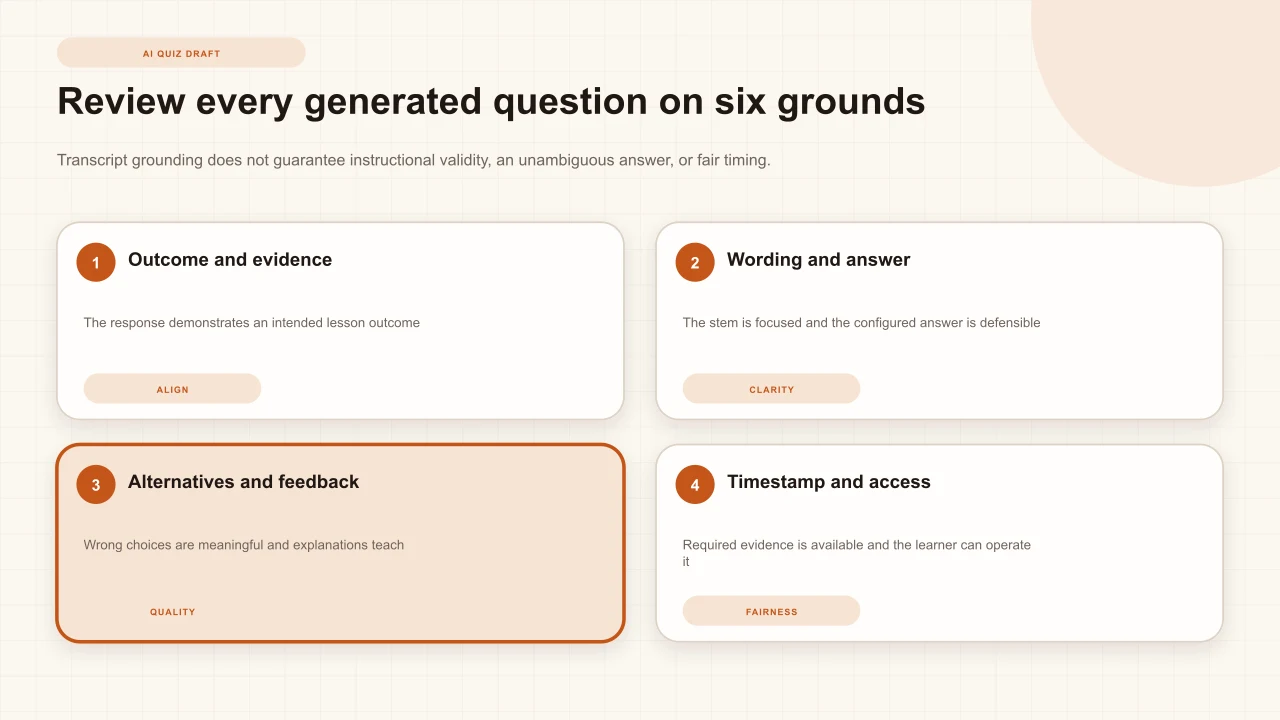
The review phase presents timestamped candidates and begins with candidates available for acceptance. Read each one independently. Identify the intended outcome, exact transcript or source evidence, best answer, plausible error represented by each alternative, and reason the timestamp is fair. Reject a question that tests incidental wording, repeats another item, or asks for information the viewer has not received.
Verify facts against the source and an authoritative reference when the subject demands it. A fluent sentence can be wrong. The NIST AI Risk Management Framework describes governance, mapping, measurement, and management as continuing functions, while its generative-AI profile highlights risks particular to generative systems. For this workflow, the practical controls are clear ownership, bounded use, source checking, human review, documented rejection, and learner-path validation.
Check timing against the source
Seek to each proposed timestamp and watch the preceding section. Confirm the learner has seen every fact required to answer and that the moment lands after a complete idea rather than during a sentence or demonstration. Leave room for the source's pacing and captions. When the question depends on a visual, confirm the required object remains visible behind the interaction and add that question manually if the transcript did not carry the evidence.
Similar transcript language can appear in several places, so a plausible timestamp can still be the wrong occurrence. Check the source, not only the transcript row. Avoid placing generated questions so close together that feedback and resumption collide. The guide to placing interactions in YouTube videoexplains how to use complete ideas, demonstrations, and reflection boundaries rather than even spacing.
Edit answers, alternatives, and feedback
Confirm one answer is defensibly best for a single-answer question. Keep options parallel in grammar and scope; remove accidental clues from length, specificity, or repeated words. Replace absurd distractors with recognizable reasoning errors. For fill-in or numeric responses, consider accepted variants, spelling, units, precision, and whether manual review would be fairer.
Add feedback that explains the evidence and next reasoning step. “Incorrect” wastes the pause. A useful explanation can name the relevant statement, distinguish the tempting error, and tell the learner what to notice on review. The question-writing guide provides a complete outcome, stem, distractor, timing, feedback, and fairness check.
Accept, skip, regenerate, and insert
Keep candidates that are worth editing, skip those that do not serve the lesson, and regenerate an individual item when the concept is valuable but the draft is weak. Selective regeneration is usually more controlled than replacing a promising set. Adjust guidance when repeated defects share a cause, such as overemphasis on definitions or use of specialist vocabulary.
Insert only accepted questions. Insertion creates ordinary editable interactions on the timeline; it does not certify or publish them. Open each inserted interaction and inspect its complete configuration. Resolve collisions with existing prompts, remove duplicates, refine feedback, and ensure the overall interaction load remains proportionate to the video.
Preview the complete learner experience
Preview from before each timestamp and answer every path. Check the source pause, prompt entrance, wording, option selection, selected-state clarity, submit state, feedback, score, retry, skip, resumption, completion, and review behavior. Repeat at the maintained phone-player size and with keyboard-only operation. Confirm captions remain readable and the question does not hide the visual evidence.
Publish only after the creator preview succeeds, then open the actual learner link or embed in a clean session. The published route can reveal identity, domain, YouTube embeddability, or host layout conditions absent from the editor. Submit a controlled response and verify the expected analytics record. Generation saves drafting time only if quality assurance remains part of the workflow.
Handle transcript, service, quota, and output failures
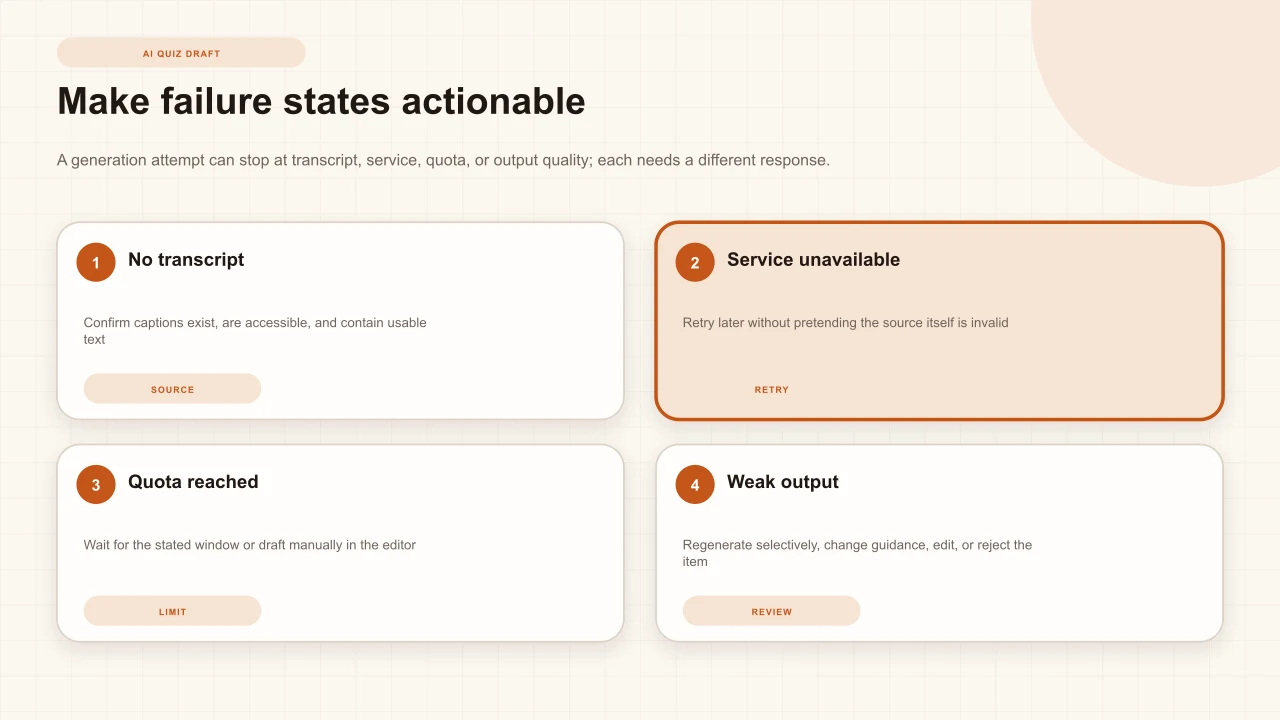
Keep recovery specific. For no transcript, verify captions exist and are accessible, then inspect their quality and length. For a temporary transcript or generation service failure, retry later without repeatedly changing a valid project. When capacity is exhausted, use the interface's stated window, reduce unnecessary regeneration, or draft manually. If the output is weak, change guidance, regenerate selected items, edit a salvageable candidate, or reject it.
Do not bypass limits with duplicate projects or repeated automated requests. Rate limits protect shared capacity and can change as the service evolves. Do not tell a learner that generation succeeded when it returned no usable items. Preserve the manual authoring path: the creator can always place and write an ordinary supported interaction after reviewing the source.
Interakly product boundaries
The current Interakly generator is available to an authenticated owner for an editable project when a usable transcript and generation capacity are available. It supports a bounded question count and current response-type choices, difficulty guidance, optional additional instructions, review of timestamped candidates, per-item acceptance or regeneration, and insertion of accepted items into the existing interaction system.
It does not guarantee transcript access, caption accuracy, question validity, visual understanding, source licensing, embeddability, service availability, or learner outcomes. It does not publish generated candidates automatically. Uploaded video and YouTube have different media and transcript workflows, and upload-only spatial capabilities should not be promised for YouTube. The creator remains responsible for source rights, subject accuracy, instructional decisions, accessibility, privacy, testing, and publication.
A reliable generation workflow
Define the outcome
Name what the learner should be able to decide, explain, calculate, recognize, or apply.
Verify source readiness
Confirm ownership, embeddability, transcript access and accuracy, service availability, and current quota.
Configure a bounded draft
Choose a proportionate count, useful response types, difficulty instruction, and precise audience guidance.
Review every candidate
Check source grounding, answer, alternatives, timestamp, feedback, accessibility, and relationship to the outcome.
Insert only accepted items
Skip or selectively regenerate weak candidates, then edit inserted interactions in the ordinary timeline.
Preview and publish deliberately
Complete every learner path on desktop and phone, publish separately, and verify the real link or embed.
Review response evidence
After use, interpret question records within their denominator and configuration, then make bounded revisions.
Review the responses after publication
Keep sessions, completion, scores, and per-question distributions attached to their definitions and evidence limits.
Sources and further reading
- YouTube Help: View video transcripts
- YouTube Help: Use automatic captioning
- YouTube Help: Add subtitles and captions
- NIST: AI Risk Management Framework
- NIST: Generative AI Profile
- NIST AI RMF: Core
- IES: An Educator's Guide to Questionnaire Development
- Standards for Educational and Psychological Testing
FAQ
Can Interakly generate a quiz from every YouTube video?
No. The signed-in owner needs an editable Interakly project, a usable accessible transcript, available transcript and AI services, and remaining generation capacity. Some videos lack captions, restrict access, contain too little usable text, or otherwise cannot support generation.
Does the generated quiz get published automatically?
No. Generated questions are drafts. The creator reviews the candidates, can skip or regenerate individual items, inserts accepted questions into the editor, edits their configuration as needed, previews the learner path, and separately publishes the project.
Which question types can the generator request?
The current Interakly dialog can request multiple choice, true or false, fill in the blank, numeric input, and rating scale candidates. Availability and the usefulness of a type still depend on the transcript, lesson outcome, and product configuration.
Why does a YouTube transcript quiz need human review?
A transcript omits visual evidence and may contain caption errors. Generated wording, answers, alternatives, difficulty, and timestamps can be weak or wrong. A qualified creator must confirm the source evidence, instructional purpose, answer key, accessibility, and complete learner experience.
What should I do if no transcript is available?
Confirm the YouTube video actually has usable captions and that the transcript is accessible. If it does not, choose another appropriately licensed and embeddable source, ask the source owner to add accurate captions, or write questions manually from an authorized review of the video.
Can generated questions include visual details from the video?
Generation is transcript-backed, so it should not be trusted to understand unspoken visual details. A creator can manually add a question about visual evidence only after confirming that the evidence is clear, available at the timestamp, and not obscured by the interaction.
Use generation to accelerate judgment, not replace it
Begin with one clear outcome, verify the transcript, request a bounded draft, and publish only the questions you have reviewed in the real learner path.
Start with a YouTube link