How to Storyboard an Interactive Video
Storyboard an interactive video scene by scene, including evidence, prompts, feedback, branches, accessibility, production notes, and learner outcomes.
An interactive video storyboard is not a strip of attractive thumbnails. It is a visual model of what the learner sees, knows, does, and receives at each important moment. A useful board reveals whether the source provides enough evidence, whether an overlay hides that evidence, whether feedback has somewhere to go, and whether every route has a coherent end.
This guide gives you a production-ready storyboard method for linear lessons, timestamped questions, spatial activities on uploaded media, and branching scenes. It complements the interactive video script template: the script is the language-and-evidence authority, while the storyboard is the composition-and-state authority. Stable IDs keep them synchronized.
Decide what the storyboard must prove
Begin with the review question. A director may need to verify framing and continuity. An instructional designer may need to verify that a decision follows sufficient evidence. A subject reviewer may need to see the exact diagram state behind a correct answer. An accessibility reviewer may need to know whether important visual information is spoken, described, or available through another route. Write those review needs at the top of the board before choosing a layout.
Define one observable learner outcome and the evidence the experience can reasonably collect. A selected region can show recognition of a location in the presented frame. It cannot prove safe physical performance. A scenario choice can show how someone applies the stated criteria; it does not establish transfer to an unfamiliar workplace. Put both the intended evidence and its limit on the board so production polish cannot quietly inflate the claim.
Separate the storyboard from the script
Keep exact narration, captions, prompt wording, answer logic, and full feedback in the script. Keep composition, visible evidence, overlay bounds, state transitions, and route direction in the storyboard. Copy only enough text into a card to judge fit and hierarchy. Long duplicate passages drift as soon as one reviewer edits the script without updating the board.
Duplicated documents
Frame 7 contains the full question and feedback, while a separate script contains a slightly different version with no shared identity.
Linked authorities
Frame S07 references interaction I07A, shows its composition and states, and links to the script row that owns exact wording and answer logic.
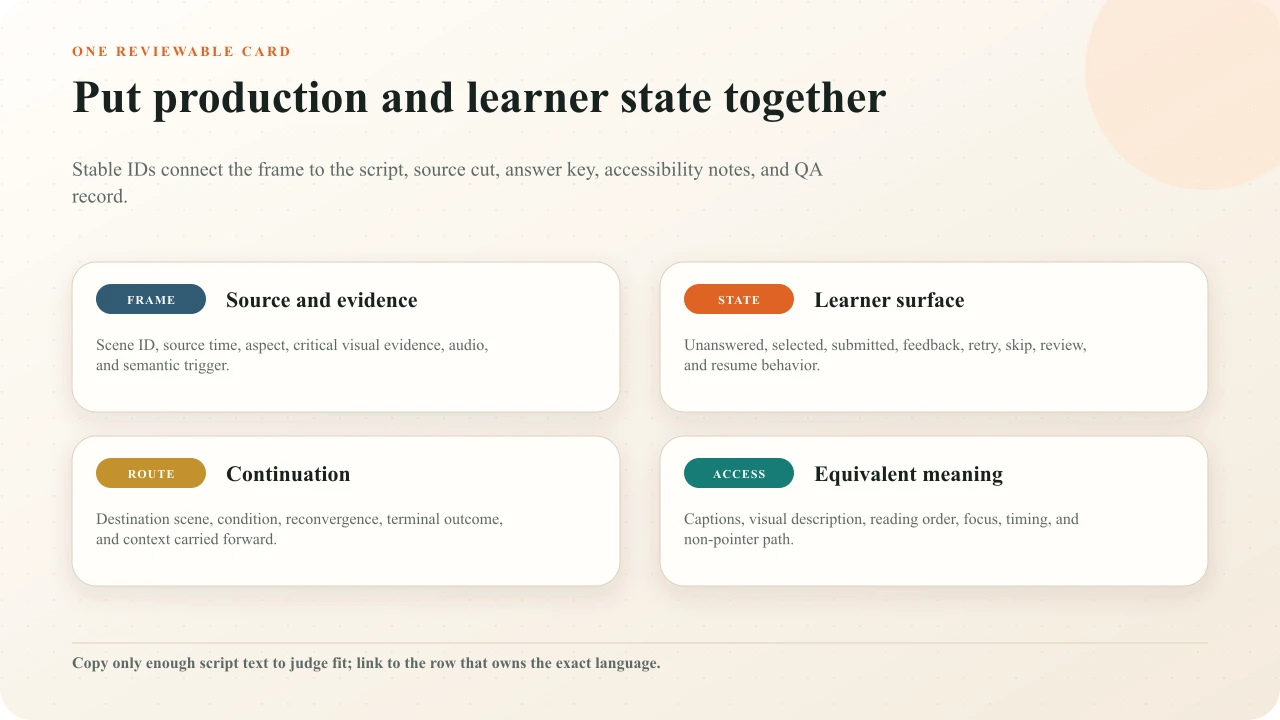
Use scene IDs such as S01 and interaction IDs such as I03A. Add a revision or source-cut name to the board. Timestamps will move when an editor trims the video, so they are attributes, not identities. The same IDs should appear in the media edit, caption notes, response key, QA log, and authoring tool.
Build one card for every learning beat
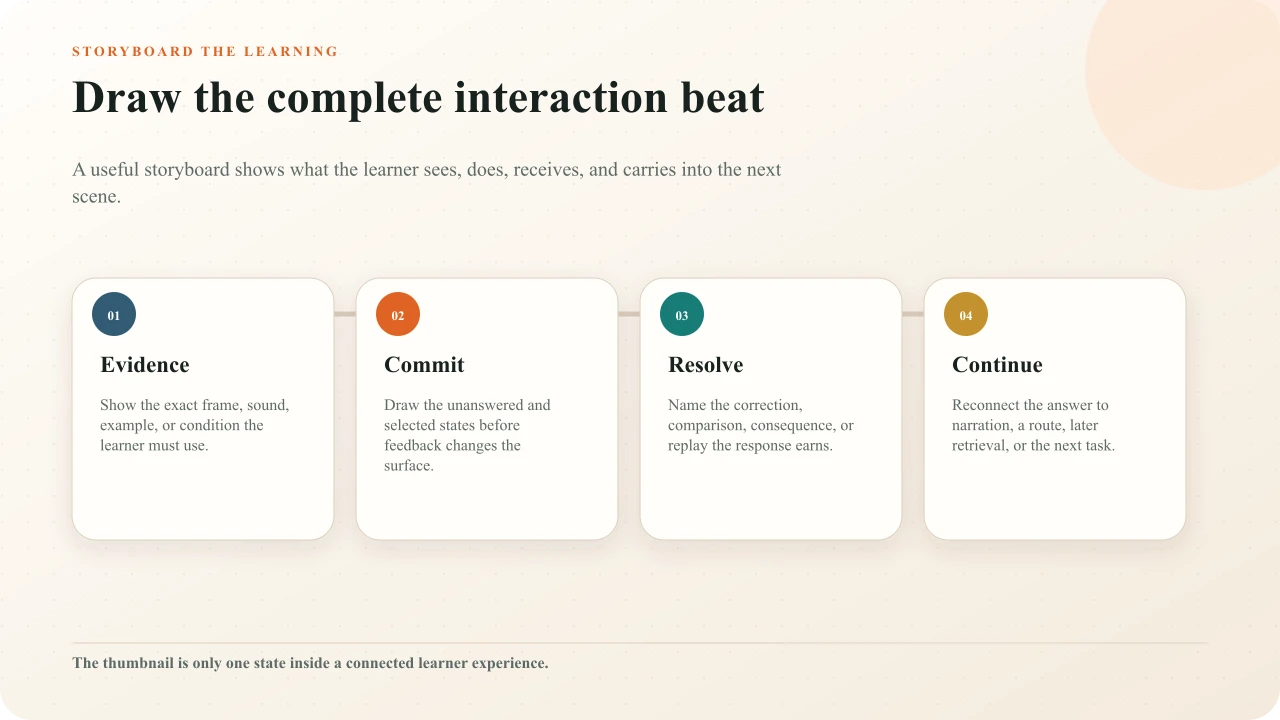
Create cards around changes in learner state, not every camera cut. A complete beat usually includes evidence setup, a trigger, commitment, resolution, and continuation. A simple factual check may fit on two cards: the final source frame and the prompt state. A safety decision may need separate cards for observation, choice, targeted feedback, and consequence.
Each card should identify the scene and source time, show a rough frame, name the source state, summarize audio, state the learner's purpose, and list active interactions. Add expected dwell time, transition, accessibility notes, asset dependencies, owner, and verification status. A thumbnail without those fields is difficult to approve because reviewers must invent the behavior between frames.
Frame the source before the overlay
Draw or capture the source frame first. Mark the evidence the learner needs: a gauge value, a facial cue, a map boundary, a code line, or the relationship between two structures. Only then place the interaction. If a card covers the evidence, decide whether the video should pause on a cleaner frame, whether the question can sit in a non-spatial workspace, or whether the source edit needs extra hold time.
Represent real aspect ratios. A portrait source inside a landscape player has different usable space from a 16:9 source. Sketch desktop and phone containment when the composition is dense. Do not solve the phone view by deleting options, reordering fields, or inventing a separate task. Interakly scales the authored video interaction composition uniformly; the storyboard should preserve the same hierarchy and anticipate the resulting physical size.
Show the learner state
An interaction has several visually distinct states: entrance, unanswered, selected, submitted, feedback, retry, reviewed, skipped, and sometimes expired. Storyboard every state that changes the learner's interpretation or the route. At minimum, show unanswered, committed, and resolved states. The selected option must be unambiguous without leaving a hover or focus outline on an unrelated option.
Include transport ownership. Does the video pause? Can the learner seek? Is Skip available? Does a passive info card disappear on a timer? What resumes playback? These behaviors influence how a card feels even though they are not visible in the thumbnail. Mark them in a compact state legend rather than expecting the authoring team to infer defaults.
Map decisions and reconvergence
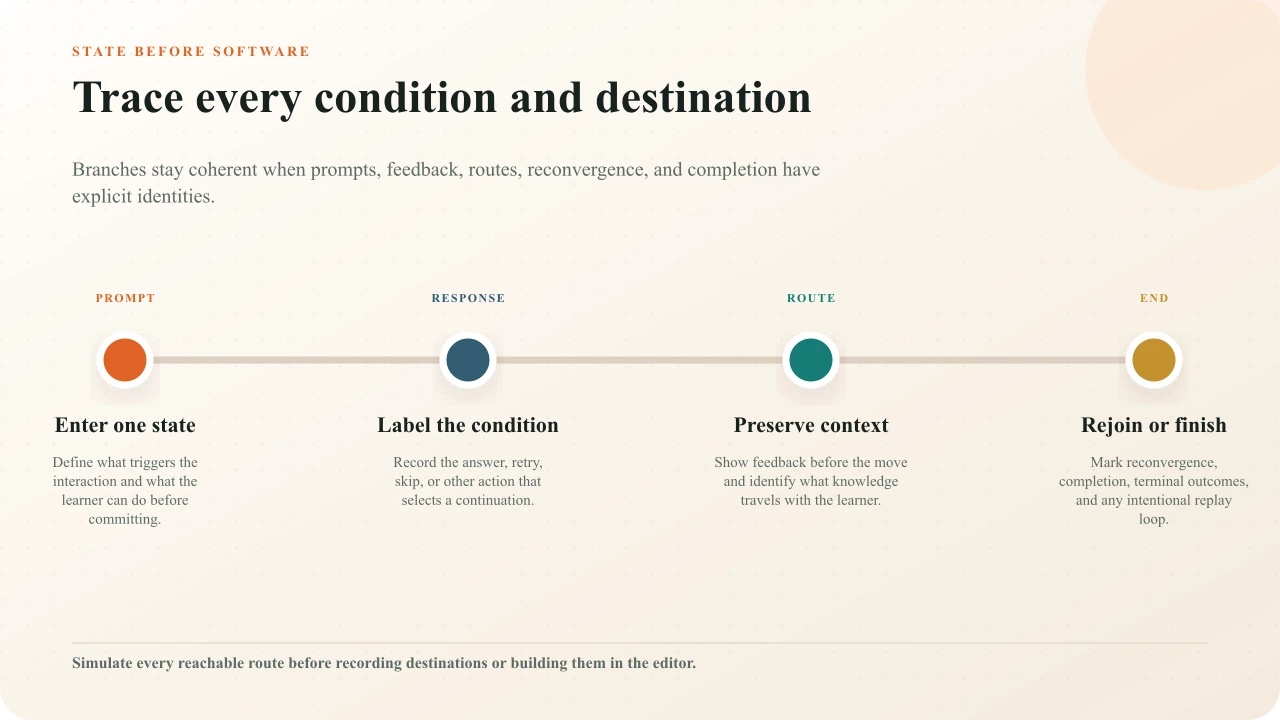
Use a state map when one response changes the next scene. Give every node one purpose and every connector a condition. Label destinations by scene ID, not by vague notes such as “wrong path.” Mark terminal outcomes, loops, retry limits, and reconvergence points. A route that rejoins the main lesson should explain what knowledge the learner is expected to bring back.
A branching storyboard is a logic model, not evidence that branching is the right design. Use the branching-scenario storyboard methodwhen consequences, route balance, and decision quality are the main job. Use the broader branching-versus-linear guide to decide whether targeted feedback in one route would accomplish the same learning goal with less production and QA risk.
Storyboard feedback and continuation
Do not end a card with “feedback appears.” Show what the feedback must accomplish: name the decisive evidence, correct a misconception, compare reasonable responses, expose a consequence, or direct a replay. Then show how the source resumes. A return line such as “Because the outlet is still closed, the pressure continues to rise” reconnects the answer to the scene. “Correct, continue” throws the learner's work away.
For open responses and polls, do not storyboard false evaluation. A recorded reflection may be acknowledged, revisited, or discussed, but it has not been automatically judged merely because the interface accepted text. Aggregate poll results are descriptive of recorded responses, not a correct answer or a representative population.
Protect accessibility in every frame
The W3C's guidance on making audio and video media accessibleexplicitly includes planning, scripting, storyboarding, and recording. Add an accessibility lane to every relevant card: caption content, meaningful sound, critical visual information, integrated description or another alternative, reading order, input method, response time, focus destination, and what happens after error.
If visual meaning is essential, decide whether narration can include it naturally before filming. W3C's description guidanceexplains alternatives when important visual information is not available in existing audio. Do not make color, hover, drag, or a tiny point the only way to understand or operate the task. Review the final experience against WCAG 2.2 with an accessibility specialist rather than treating the storyboard lane as certification.
Plan timing and source capabilities
Record the trigger against the exact source cut, but also describe the semantic boundary: “after both readings are visible,” “before the supervisor responds,” or “once the demonstration reaches the locked state.” That note helps an editor repair timing after a trim. For passive overlays, show both start and end. For blocking prompts, show what causes entrance and what permits resume. The learning-video length guide provides a decision sheet for protecting coherent segments and estimating source time separately from the complete learner route.
Add a source-capability field. Interakly can place compatible non-spatial interactions over an embeddable YouTube video within the Interakly experience. Uploaded video supports the richer spatial frame needed for hotspots, info hotspots, click regions, and related position-based activities. Complete segment-based Pathway branching requires uploaded video. A storyboard can preserve the same learning sequence across sources, but it must not promise the same presentation.
Keep spatial work honest
Use a hotspot or click region only when location in the frame is part of the task. Draw the complete target region, including ambiguous edges and nearby distractors. Specify what happens when the learner misses, whether multiple regions are valid, and how a keyboard or non-pointer path preserves the purpose. A decorative marker does not become an assessment simply because it is clickable.
For moving subjects, do not imply object tracking unless the product and authored asset actually provide it. Choose a stable paused frame or a bounded interval where the target remains valid. If the frame cannot preserve a fair spatial target, switch to a non-spatial response. The interaction-type guide helps match the response family to the evidence you genuinely need.
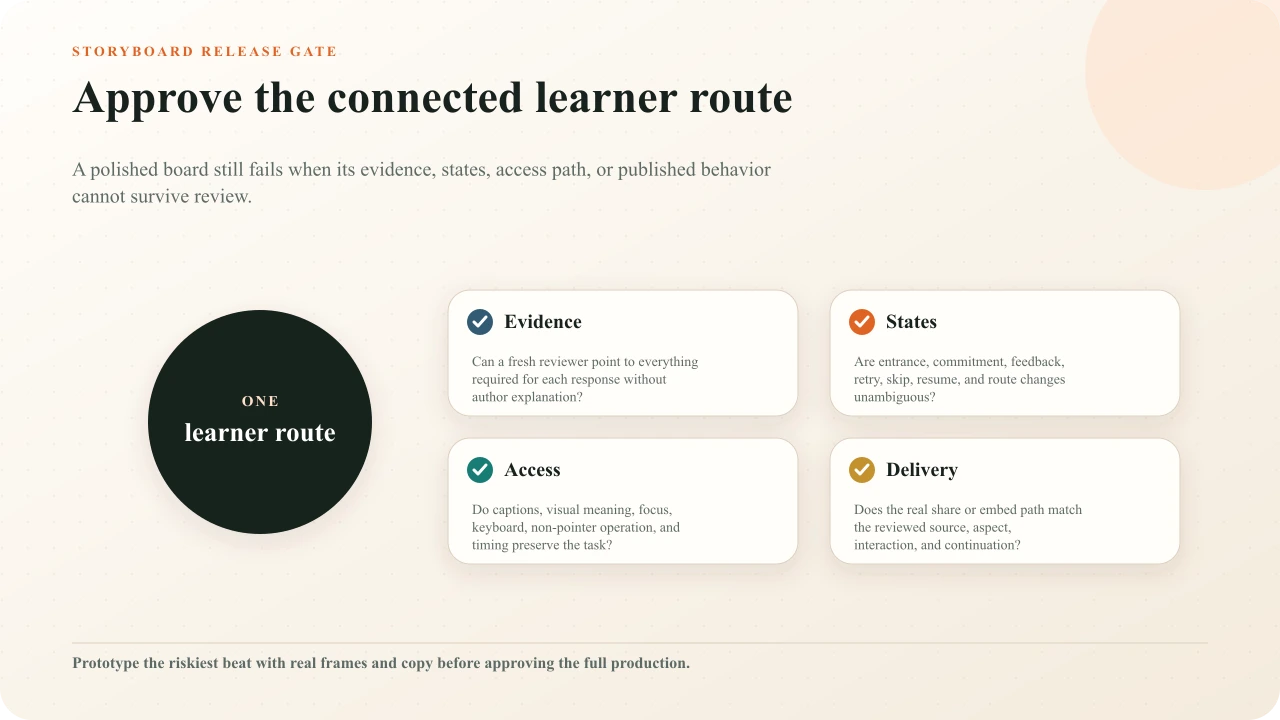
Review the complete learner route
Walk the evidence
For every prompt, point to the exact source information a new learner needs and verify it remains visible long enough.
Simulate every state
Advance from unanswered to selected, submitted, feedback, retry, skip, review, and continuation wherever those states apply.
Trace every route
Follow each branch from entry to reconvergence or terminal outcome; record unreachable, looping, or context-poor nodes.
Review access
Check captions, visual description, reading order, focus, keyboard and non-pointer operation, timing, contrast, and equivalent meaning.
Prototype the risk
Build the densest, most spatial, or most conditional beat before filming or authoring the rest of the lesson.
Test published playback
Open the real learner link or embed on desktop and phone. Confirm source timing, composition, response, feedback, resume, and completion.
Use the downloadable template
Download the interactive video storyboard templateand adapt its brief, card ledger, state map, route table, accessibility lane, and release review. It is intentionally plain Markdown so a producer, educator, subject reviewer, and accessibility reviewer can use the same document without specialized drawing software.
Carry the storyboard into a complete release review
Check purpose, pacing, questions, feedback, accessibility, mobile composition, source boundaries, delivery, and evidence as one experience.
Interakly product boundaries
Interakly can author and preview supported timestamped interactions, preserve configured presentation, collect responses, show feedback or results, publish learner links, and expose current response and session evidence. Uploaded and YouTube sources have different interaction surfaces. Verify the current source profile, interaction picker, access settings, and published route before approving a storyboard.
Interakly does not establish the factual authority or rights of source media, determine whether a response proves competence, certify accessibility or compliance, replace supervised practice, or guarantee that every storyboard route is instructionally sound. Those judgments remain with the production, subject, assessment, safety, privacy, and accessibility reviewers named on the board.
Sources and further reading
- W3C WAI: Making Audio and Video Media Accessible
- W3C WAI: Planning Audio and Video Media
- W3C WAI: Accessible Audio and Video Content
- W3C WAI: Captions and Subtitles
- W3C WAI: Description of Visual Information
- W3C: Web Content Accessibility Guidelines 2.2
- IES What Works Clearinghouse: Organizing Instruction and Study
- Digital.gov: Plain Language Guide Series
FAQ
What should an interactive video storyboard include?
Include a stable scene ID, frame sketch, source state, narration or sound, learner purpose, interaction trigger, prompt state, response state, feedback, continuation, accessibility notes, and production owner. Conditional experiences also need destination and reconvergence notes.
Is a storyboard the same as an interactive video script?
No. A script is the authority for exact language, audio, evidence, feedback, and production detail. A storyboard makes composition, sequence, state changes, and routes visible. Link the two with stable scene and interaction IDs instead of copying conflicting detail.
How detailed should storyboard drawings be?
Detailed enough to review composition and learner state, but no more. Boxes, labels, arrows, and real frame grabs are often sufficient. Spend precision on evidence, overlay placement, timing, feedback, and route logic rather than illustration polish.
How do I storyboard a branching interactive video?
Give every decision a stable ID, label each outgoing condition and destination, show what feedback occurs before the route changes, and mark where routes reconverge or terminate. Then simulate every reachable path before production.
Can one storyboard work for YouTube and uploaded video?
The learning sequence can, but presentation notes must respect the source. Supported YouTube experiences use compatible non-spatial interactions. Precise frame hotspots, click regions, and complete segment-based branching require uploaded video.
When should I test an interactive video storyboard?
Test the riskiest beat before full production, then review the complete route with source frames, draft copy, response states, feedback, accessibility notes, and mobile composition. Test the published learner link again after authoring.
Storyboard the learner state, not just the shot
Choose one risky interaction beat and draw its evidence, prompt, response, feedback, continuation, accessible path, and source-specific presentation before producing the full lesson.
Explore video interactions