How to Write an Interactive Video Script (Template)
Write an interactive video script that aligns narration, visuals, questions, feedback, accessibility, and production in one practical template.
An ordinary video script tells a speaker what to say and a production team what to show. An interactive video script must also explain what the learner will do, what that action can reveal, how the experience responds, and how the lesson continues. If those decisions live in separate documents, the final pause often feels attached rather than designed.
This guide gives you one reviewable script structure for narration, visuals, questions, feedback, accessibility, and production. It is deliberately source-neutral: use it for an uploaded training video, an existing embeddable YouTube source, a screen demonstration, or a branching scene, then constrain the interaction column to the capabilities of that source.
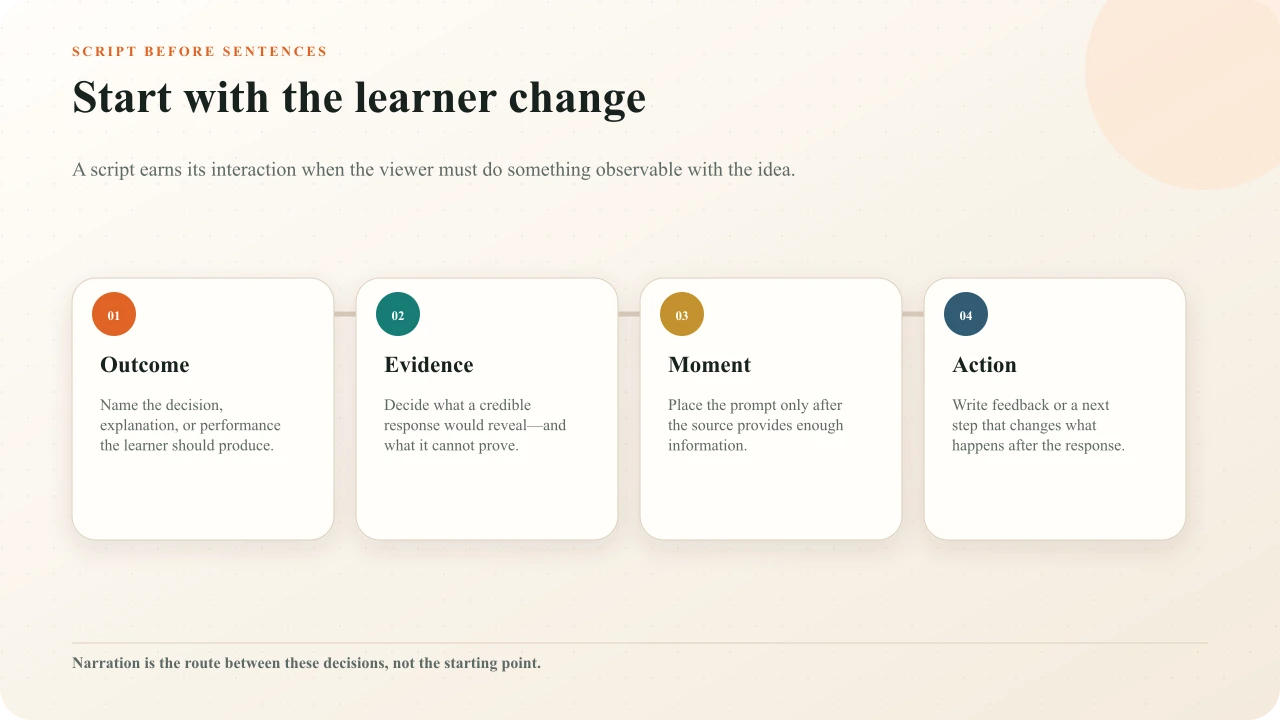
Start with the learner change
Write one sentence that describes what a capable learner will do after the lesson. Prefer an observable decision, explanation, comparison, sequence, or performance over a vague verb such as understand. “Explain why the pressure reading rules out a blocked outlet” gives the script a clearer job than “understand the pressure system.” It tells you what evidence the video must present and what kind of response could be useful.
Define the audience and conditions at the same time. A novice may need names and a worked example before making a diagnosis. An experienced technician may need a short anomaly and a decision under realistic constraints. The US Institute of Education Sciences practice guide on organizing instruction and studyrecommends combining graphics with verbal descriptions, using quizzing to re-expose learners to key content, and asking deep explanatory questions. Treat those as design options tied to the outcome, not a recipe that every scene must use.
Define the evidence before the dialogue
Decide what a learner response could credibly show. Selecting a valve on a diagram can show spatial recognition under the conditions presented. It does not prove the learner can isolate live equipment safely. Choosing the best response in a scenario can reveal how the learner applies stated criteria; it does not establish workplace transfer. An ungraded poll can reveal recorded preference, not correctness.
Write the evidence statement beside the outcome: “A correct response identifies the relief valve and explains that pressure must be verified before opening.” Add a limit: “This lesson does not authorize the procedure or replace supervised practice.” Those two lines prevent the script from drifting toward easy trivia or overclaiming what an answer means.
Use a two-track script
Build the document around time. The left track describes the media state: scene, screen, diagram change, source label, cursor action, and on-screen text. The right track describes audio and learner action: narration, meaningful sound, interaction, expected evidence, feedback, and continuation. Add columns for owner and verification when several people produce the lesson.
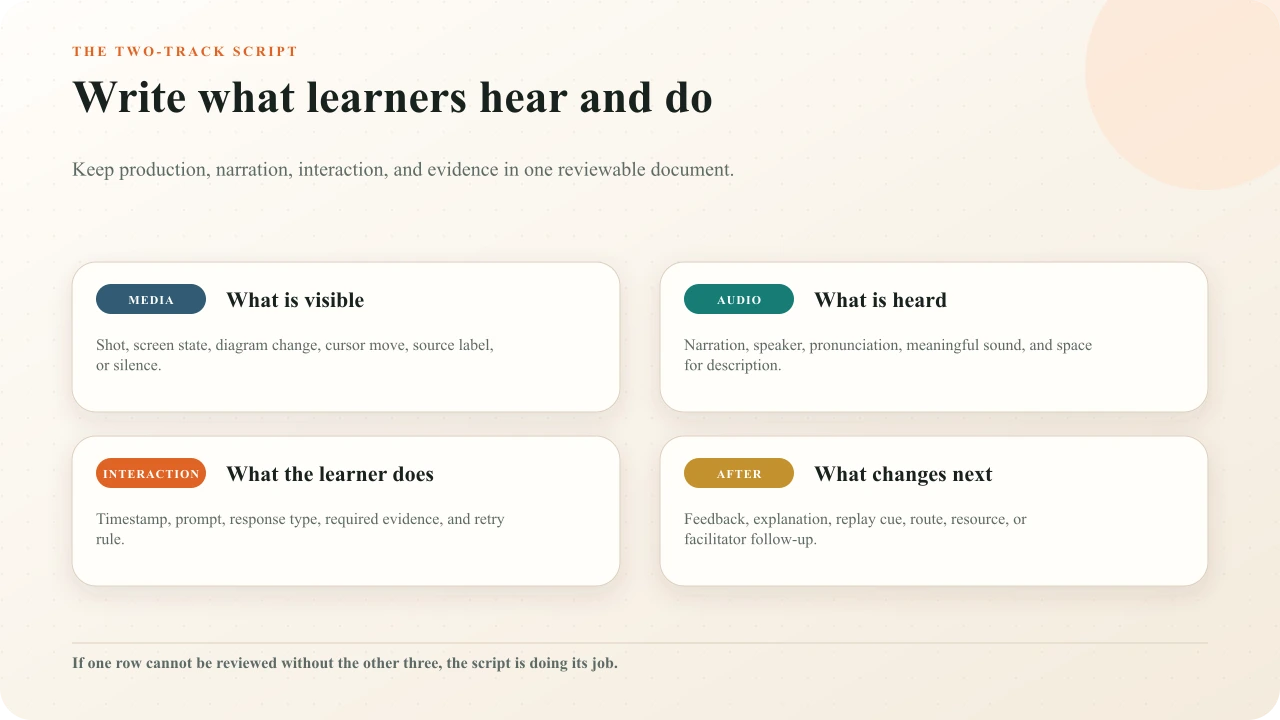
Give every scene and interaction a stable ID such as S03 and I03A. The ID survives wording changes and lets the editor, caption file, storyboard, answer key, accessibility review, and test notes refer to the same object. Do not use a timestamp as the only identity; the timestamp will move when the source cut changes.
Loose note
At 02:10, ask a question about the warning light.
Reviewable row
I03A · after S03 shows both indicators · identify which reading requires shutdown · correct region + rationale · targeted feedback · resume with consequence.
Write one complete interaction beat
An interaction beat has four parts. Set up the evidence in the source. Ask the learner to commit to a response. Resolve the response with feedback or comparison. Reconnect the answer to the lesson. If the script contains only the prompt, production will improvise the other three parts and the learner will feel the seam.
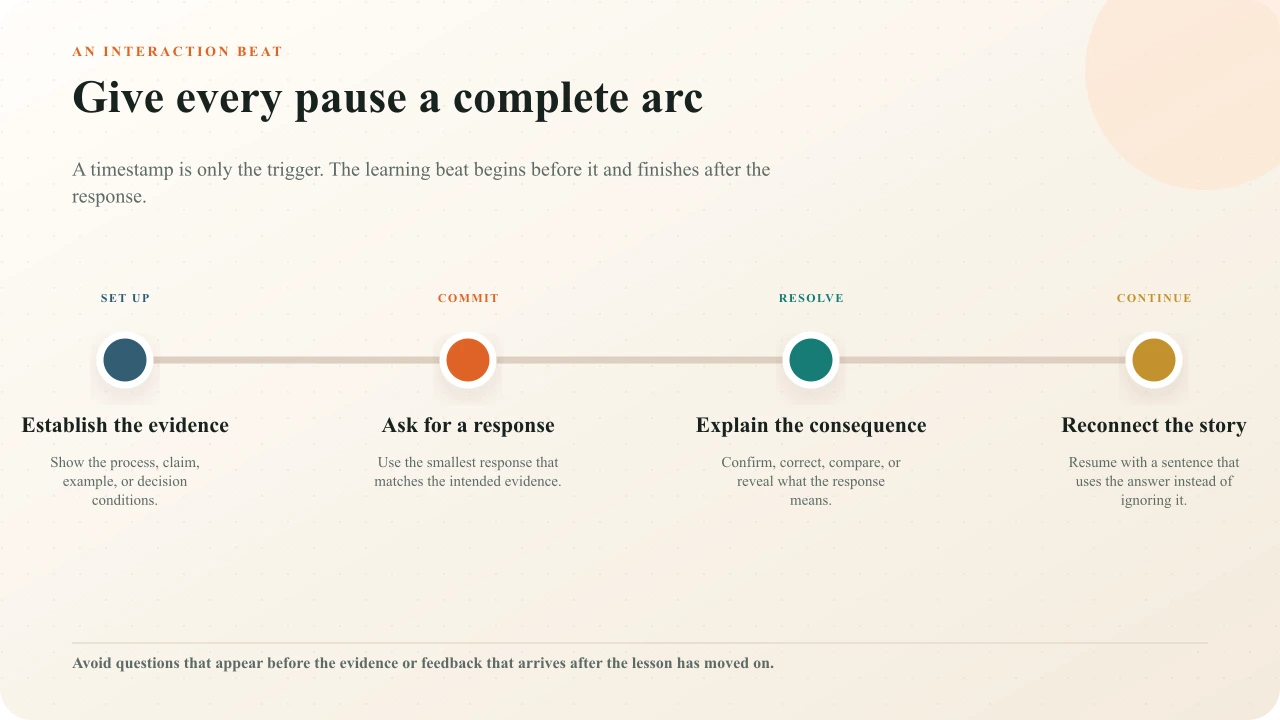
Write the resume line explicitly. “Because the pressure is still rising, Maya isolates the upstream source next” incorporates the answer into the story. A generic “Now let us continue” discards the learner's work. For a poll or reflection, the continuation can acknowledge that reasonable responses differ and explain what the lesson will examine next.
Choose a response that matches the claim
Use multiple choice when the learner must distinguish among defensible alternatives. Use ordering when sequence is the target. Use free response when explanation, reflection, or generation matters and you have an honest review plan. Use a poll for opinion, prediction, or confidence without a correct answer. Use a spatial activity only when the source is owned and the exact place in the frame is part of the evidence.
Keep the response smaller than the thinking. A concise choice can still follow substantial reasoning if the alternatives express different models. A long text field can elicit almost no useful thought if the prompt is vague. The companion interaction-type guide maps each family to the learner action it genuinely supports.
Place the prompt after enough evidence
Mark the earliest frame at which the learner has everything needed to respond. Then check whether the prompt covers visual evidence, interrupts a sentence, splits a demonstration, or arrives after the answer has already been revealed. For a prediction, ask before the outcome but after the conditions are clear. For recall or explanation, ask after a coherent idea has finished. For reflection, allow enough context to make the response specific.
Avoid mechanical spacing rules. The question-placement guide explains conceptual boundaries, answer leakage, and feedback timing, while the interaction-density guide helps you decide whether every planned pause earns its interruption.
Write feedback into the story
Draft feedback while the source evidence is visible in the script. For a correct answer, name the decisive clue and connect it to the next idea. For a plausible wrong answer, explain why it was tempting, identify the missing distinction, and direct the learner to the most useful evidence or replay point. Do not reveal hidden answer logic in a poll, and do not claim that an open response has been evaluated when it has only been recorded.
Keep retry behavior in the same row. Decide whether the learner sees feedback before retrying, whether an attempt changes scoring, and what happens after the final attempt. The feedback-writing guide provides a more detailed method for turning correctness into instruction.
Script accessible media from the start
Accessibility is a production input. The W3C's audio and video planning guidanceplaces accessible content, description, captions, transcripts, and player support inside the project workflow. In the script, identify meaningful sounds, speaker changes, names, pronunciation, and technical terms for captions. Mark visual information that must be spoken, integrated into the narration, described separately, or provided in a descriptive transcript.
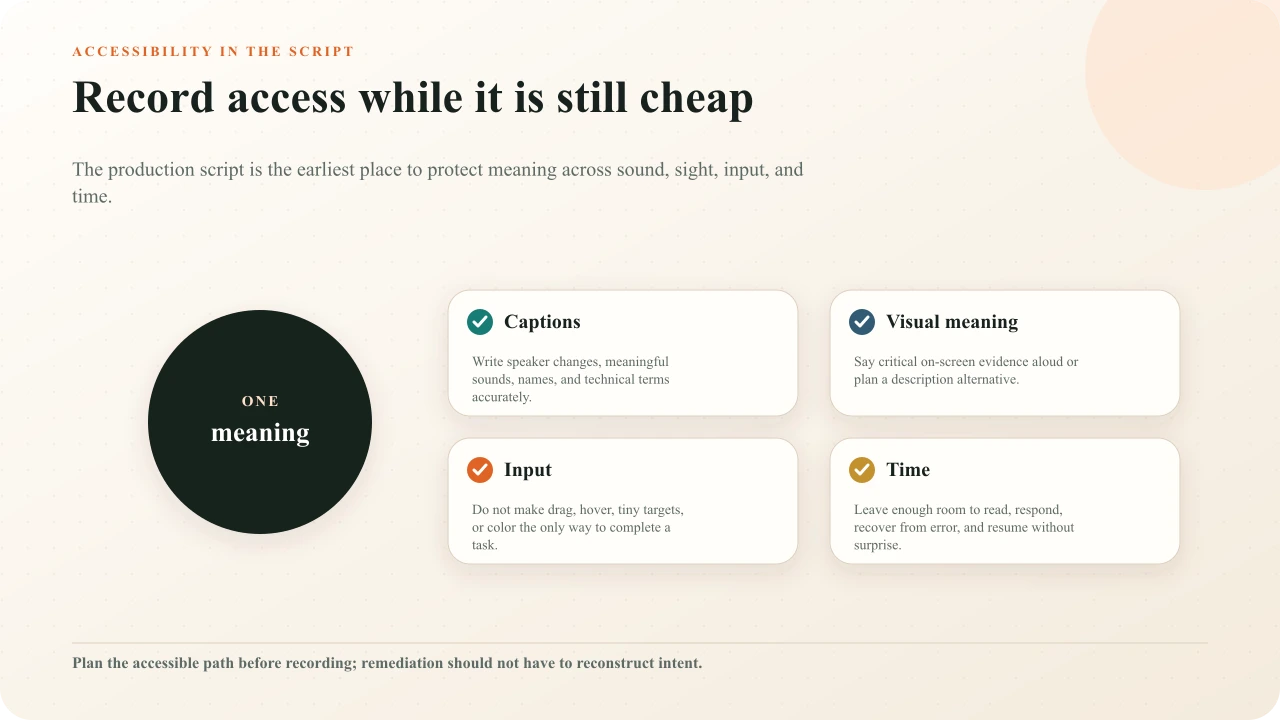
W3C's caption guidance notes that captions include speech and meaningful non-speech audio. Its visual-description guidanceexplains that integrated description is often suitable for training video: the main speaker can say the critical visual information naturally. That is easier to achieve when the script reserves the words and time before the camera runs.
Record an equivalent non-pointer route for spatial tasks. Note reading order, keyboard action, focus return, error recovery, and the time needed to read and respond. WCAG 2.2 is the normative technical reference; the standard includes keyboard, focus, timing, target-size, and input requirements relevant to interactive media. Use qualified review for applicable policy or legal obligations.
Plan timing without guessing
Read the script aloud with the visuals. Estimate narration from the actual speaker, not a generic words-per-minute formula. Add time for demonstrations, silence, on-screen reading, captions, description, response, feedback, and resume. Mark ranges when an object must remain visible rather than pretending every event is one instant.
Treat duration as a constraint, not a quality score. The widely cited ACM study by Guo, Kim, and Rubin examined watching behavior in MOOC videos, not learning outcomes for every audience or format. Use a rough cut and learner test to find unnecessary delay, rushed explanation, and interaction friction instead of declaring one universal ideal length.
Handle YouTube and uploaded video honestly
Keep a source-capability note in the script. Interakly can place supported non-spatial interactions over an embeddable YouTube video inside the Interakly experience. Uploaded media supports the richer spatial surface needed for hotspots, info hotspots, click regions, and related frame-coordinate activities. Complete segment-based Pathway branching also requires uploaded video; a YouTube-compatible Choice Moment is not the same workflow.
If the source may change, record the version or cut used for timing. A replaced edit can move every prompt and invalidate answer evidence. The verified YouTube workflow and the broader creation guide describe the two starting paths.
Review the script before production
Outcome review
Ask a subject reviewer whether the intended change, prerequisite knowledge, and safety or authority limits are accurate.
Evidence review
Ask an assessment reviewer whether each response supports the stated inference and whether alternatives are defensible.
Table read
Read narration, interaction prompts, feedback, and resume lines aloud while advancing the planned visuals.
Accessibility review
Verify caption content, visual meaning, alternatives, reading time, input paths, and production responsibilities.
Source review
Confirm rights, embeddability where relevant, cut identity, duration, captions, and source-specific capabilities.
Cold read
Give the script and rough frames to someone outside the project. Record every assumption they have to invent.
Use plain, audience-specific language. The US Government's plain-language guide series connects clarity with writing for a specific audience and testing whether that audience understands. A script can sound polished to its authors while remaining ambiguous to a new learner.
Use the downloadable template
Copy the structure into your preferred document or download the interactive video script template. It contains a decision brief, scene-and-interaction table, answer and feedback ledger, accessibility plan, source-capability check, and release review. Delete fields that truly do not apply, but do not separate the prompt from its evidence and consequence.
When composition, learner states, or routes need visual review, carry these stable IDs into the interactive video storyboard method. The two documents stay useful when the script owns exact language and evidence while the board owns frames, state changes, and destinations.
Carry the script into a complete quality review
Check purpose, pacing, questions, feedback, accessibility, mobile composition, delivery, and evidence as one learner experience.
Interakly product boundaries
Interakly can add and preview supported timestamped interactions, collect configured responses, show feedback and results, publish learner links, and provide current response and session evidence. Uploaded video and YouTube have different interaction surfaces. Confirm the current picker, source profile, access settings, and published learner path before promising a behavior.
Interakly does not determine the factual authority of the source, grant permission to use media, certify accessibility or legal compliance, prove transfer, or replace subject, assessment, safety, privacy, and accessibility review. The script records those responsibilities so a production team cannot mistake technical availability for an approved lesson.
Sources and further reading
- IES What Works Clearinghouse: Organizing Instruction and Study to Improve Student Learning
- W3C WAI: Planning Audio and Video Media
- W3C WAI: Accessible Audio and Video Content
- W3C WAI: Captions and Subtitles
- W3C WAI: Description of Visual Information
- W3C: Web Content Accessibility Guidelines 2.2
- Digital.gov: Plain Language Guide Series
- Guo, Kim, and Rubin: How Video Production Affects Student Engagement
FAQ
What should an interactive video script include?
Include the learning outcome, visible media, spoken audio, interaction timestamp, prompt, response type, answer or interpretation rule, feedback, continuation, accessibility notes, production owner, and verification state. Keep those fields on the same row so reviewers can see whether the parts agree.
Should I write the narration or the questions first?
Write the intended learner change and credible evidence first. Then outline the interaction moments and the source evidence each one needs. Narration is easier to write when it has a clear job between those moments.
How many interactions belong in a video script?
There is no reliable universal interval. Add an interaction where a learner should retrieve, explain, decide, locate, reflect, or use information, and where the answer will change feedback or the next action. Remove pauses that exist only to satisfy a timer.
Can the same script work for YouTube and uploaded video?
The learning plan can, but the interaction column must respect the source. Supported YouTube experiences use compatible non-spatial interactions over the embedded video. Precise frame hotspots, click regions, and complete segment-based branching require uploaded video.
When should accessibility be added to the script?
During planning, before recording. The script should identify meaningful sound for captions, essential visual information for integrated description or another alternative, readable on-screen text, pronunciation, keyboard and non-pointer paths, and sufficient response time.
Is an interactive video script the same as a storyboard?
They overlap but serve different reviews. A script specifies words, media, interactions, evidence, feedback, and accessibility. A storyboard makes scene composition and transitions visible. Complex productions benefit from both, connected by stable scene and interaction IDs.
Write the learner action before the polished narration
Choose one outcome, define credible evidence, and prototype one complete interaction beat with its setup, response, feedback, continuation, and accessible path.
Explore video interactions