How Long Should a Learning Video Be? A Guide
Choose learning-video length from the audience, task, evidence, segment boundaries, interaction rhythm, accessibility, and results—not a universal minute rule.
“How long should this learning video be?” sounds like a request for a number, but length is the result of more important decisions. Who is watching? What must they understand or do? Which evidence must remain visible? Will they use the video as an introduction, a complete demonstration, a reference during work, or one part of a larger lesson? A minute target set before those questions can make a video shorter while making the learning route worse.
The practical goal is not maximum brevity. It is the shortest coherent treatment that keeps the conditions, explanation, visual evidence, access, and practice required for the learner job. This guide provides a defensible way to reach that cut, position interactions, estimate complete learner time, and evaluate the published result without turning watch-time patterns into universal learning laws.
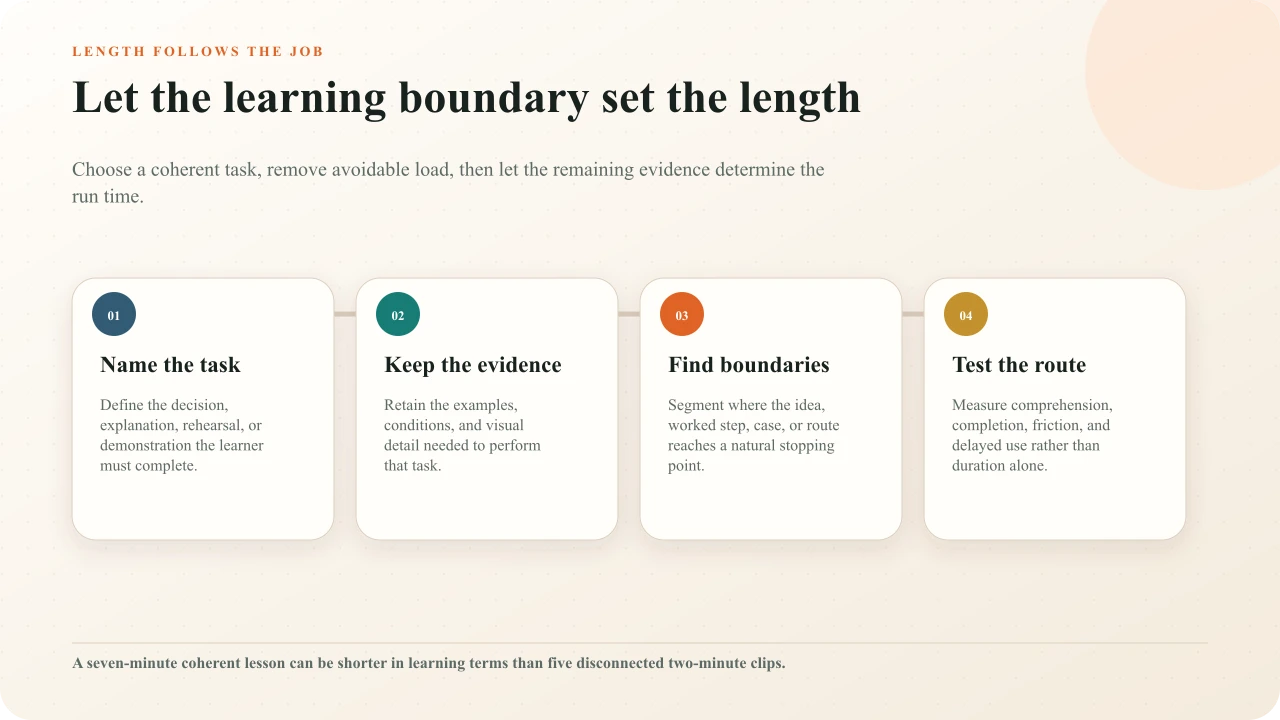
Reject the universal minute rule
Guo, Kim, and Rubin analyzed millions of viewing sessions from edX courses and reported that shorter videos were more engaging in that environment. Their influential 2014 study of MOOC video engagementis useful production evidence: long recordings deserve editing, and a lecture captured as if the camera were not present often performs poorly. It does not establish that every learner, topic, format, or outcome has a six-minute ceiling. The main behavior was watching, with post-video assessment attempts also examined; neither is a universal measure of understanding, retention, transfer, or safe performance.
Treat memorable numbers as hypotheses, not specifications. A two-minute clip can overload a novice if it compresses six unfamiliar relationships. A twelve-minute procedure can be easy to use when it has visible phases, learner control, clear narration, and direct access to the needed step. The meaningful unit is not elapsed time by itself. It is the amount and organization of relevant mental work under the learner's actual viewing conditions.
Define the learning job first
Write one observable job before outlining the video. “Understand cybersecurity” is too broad. “Distinguish a legitimate password-reset request from two common impersonation patterns” gives the production team a boundary. It identifies evidence to show, a decision to rehearse, and details that may be interesting but unnecessary. If the project has three substantially different jobs, it probably needs three addressable segments or lessons rather than one introduction with an inflated title.
Define the audience at the same time. A new operator may need terminology, equipment orientation, and a complete worked example. An experienced operator looking up one calibration step needs fast indexing and verified detail. Language proficiency, prior knowledge, device, bandwidth, workplace interruption, and whether captions or description are used all influence usable pace. “Everyone” is not an audience from which a responsible duration can be derived.
Finally, state what the video cannot establish. A viewed and correctly answered procedure lesson may support recognition of sequence and cues. It does not by itself certify physical performance. A scenario response may show a decision under the presented conditions; it does not prove transfer to every case. This evidence boundary prevents the team from extending the video merely to imitate completeness or shortening it while still making an oversized claim.
Protect necessary evidence and context
Mark every source moment as essential, supportive, or removable. Essential material supplies a condition, distinction, action, warning, or explanation needed for the outcome. Supportive material helps a particular audience follow the essential material. Removable material repeats a greeting, decorates a transition, narrates what is already obvious, previews a section that begins immediately, or preserves a production habit rather than learner value. Cut the third category first.
Be especially cautious with procedures and safety content. Faster editing must not conceal hand position, equipment state, a prerequisite check, an exception, or the interval needed to observe change. If the source cannot show a necessary detail clearly, reshoot or add an authoritative visual; do not compensate with speed. Subject-matter review should approve what the shortened video now teaches, not merely confirm that each spoken sentence is individually true.
Clock-first edit
Cut the demonstration at 4:00, remove the exception, and move the warning into a downloadable note so the video meets the target.
Evidence-first edit
Remove duplicated setup, preserve the exception beside the relevant step, and create direct chapter access without hiding required conditions.
Use coherent segments instead of arbitrary cuts
Segmenting can reduce avoidable processing demands by letting learners control progress through meaningful parts. Mayer and Pilegard's discussion of the segmenting principle describes benefits of learner-paced segments in studied multimedia conditions. The design implication is a boundary, not a universal clip length: pause after the system model, the worked step, the case evidence, or the completed phase—not in the middle of the relationship learners need to integrate.
Recent research likewise treats segmentation as an alternative to indiscriminate shortening. A study comparing short, long, and segmented learning videos underscores that duration and segmentation are separate design variables. A review of multimedia lesson implementation notes thatoptimal segment length is not firmly established and depends on content, learner, and delivery. Use semantic structure and testing, not a stopwatch alone, to choose the cut points.
A segment should earn a title that tells learners what they can do with it: “Compare the two valve states” is better than “Part 3.” It should have enough context to resume without replaying several previous clips, yet should not repeat the same introduction every time. Record prerequisites and continuation explicitly so a course page, playlist, or interactive route does not turn coherent segments into isolated fragments.
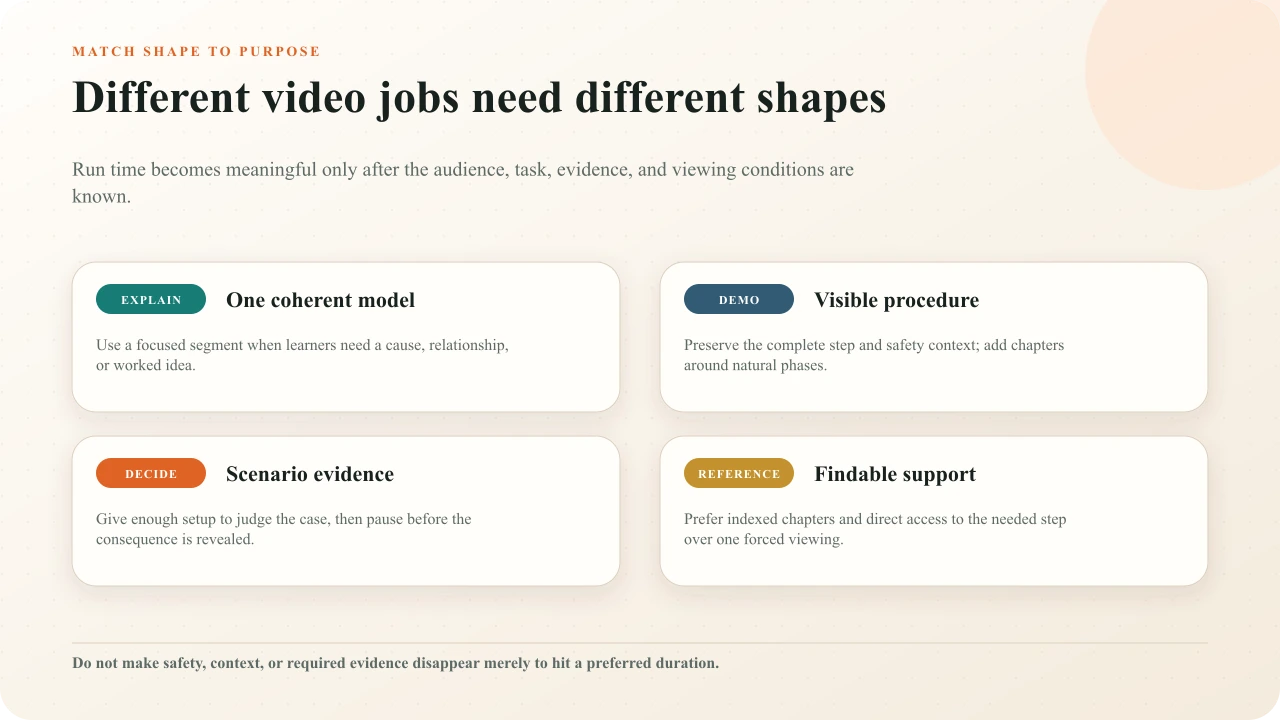
Match the shape to the viewing purpose
A conceptual explanation benefits from a narrow question and a coherent model. A demonstration benefits from complete visual continuity, phase markers, and replay. A scenario needs enough setup for a defensible choice, a pause before the consequence, and a resolution. A reference video needs accurate titles, chapters, search-friendly surrounding text, and direct access more than it needs a forced linear viewing. These are different products even when the media format is the same.
Decide whether a single source or a small set of modules best preserves that purpose. Splitting helps when learners have different prerequisites, need only one task, or return during work. Keeping a source together helps when the relationship across phases is the content, continuity supports spatial or causal understanding, or a cut would repeat setup and navigation more than it saves. Prefer learner control over a fashionable label such as “microlearning.”
Place interactions at conceptual boundaries
Interaction changes the experienced length. A five-minute source with two thoughtful decisions may require nine minutes to complete because learners read, retrieve, answer, inspect feedback, and replay. Estimate that complete route instead of reporting the source duration as the lesson duration. Tell learners the expected commitment when the difference is material.
Place questions after a coherent idea, before a predictable outcome, or at a decision that uses visible evidence. The detailed video question placement guide helps identify those boundaries. The question-density guide explains why the number of prompts should follow meaningful decisions rather than elapsed minutes. A question every ninety seconds is not a learning strategy; it is a timer that may interrupt the best explanation in the source.
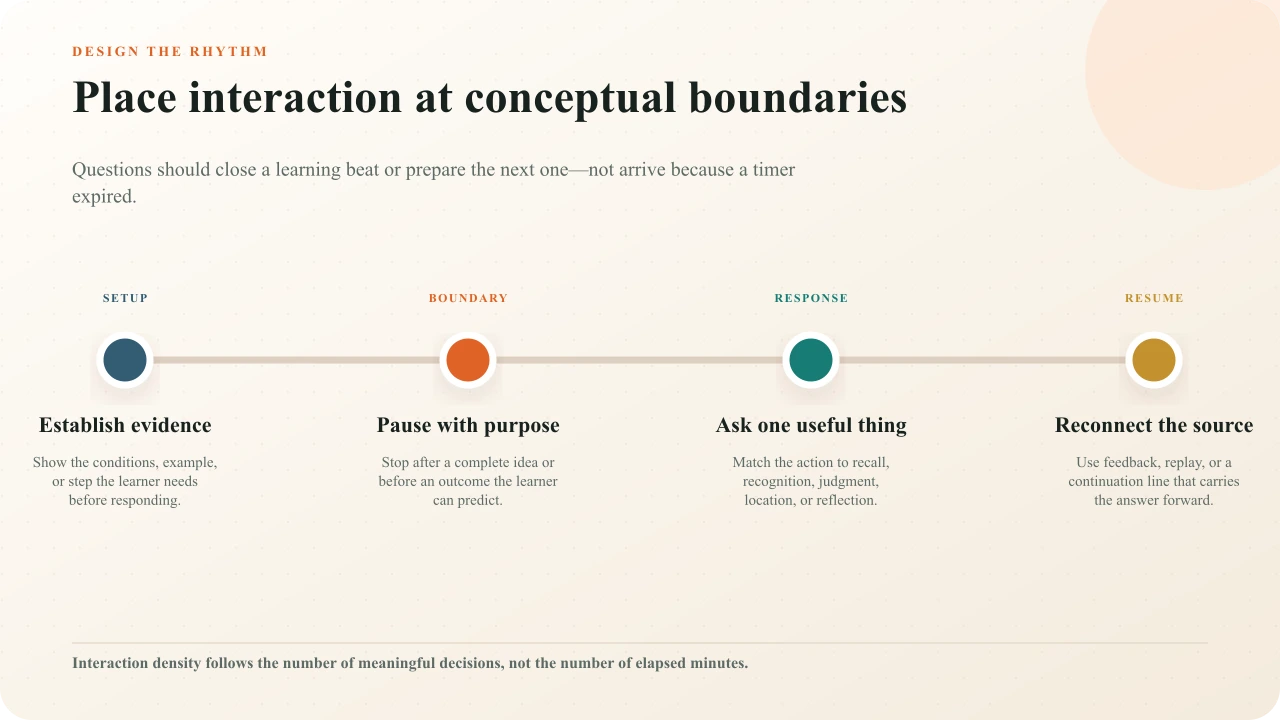
For each interaction, budget entrance, reading, thought, input, feedback, retry, and return to the source. Avoid placing a prompt where captions are dense, the frame is changing rapidly, or critical evidence will be covered. A storyboard makes this timing visible before authoring; use the interactive-video storyboard method to show the source and interaction states together.
Estimate the complete learner time
Create three estimates. Source time is the edited media duration. Required route time adds expected interaction, reading, and feedback time. Supported route time adds likely replay, caption reading, reflection, note-taking, and reasonable recovery from error. The range is more honest than one minute label and reveals when a “short” interactive lesson quietly exceeds the available session.
Estimate from representative learners, not the author who already knows every answer. Include a novice, a user of captions or keyboard navigation, and someone on the intended phone or embedded route. If time pressure is part of the objective, justify and test it separately. Otherwise, do not make a fast reader the hidden standard for successful completion.
Design for access before trimming
Accessibility is part of the timing model. W3C guidance for accessible audio and video media begins during planning. Accurate captions may need enough display time for speech, names, and meaningful sound. Critical visual information may need integrated description, narration, a described version, or another appropriate alternative. Controls and interactions need usable input routes and sufficient response opportunity.
The W3C's media planning guidance, caption guidance, and description guidance are useful review anchors. Do not speed narration until captions become exhausting or cut quiet observation that makes a described action intelligible. If an accessible route takes longer, communicate the flexible range; do not treat that learner as exceeding a supposedly neutral duration.
Plan chapters and replay paths
Chapters are not an excuse to leave an unedited lecture intact, but they make a necessary longer source navigable. Name chapters by learner intent, place boundaries at complete phases, and make the current location visible. Add concise surrounding text so learners can decide which section is relevant without scrubbing blindly. If a prompt depends on an earlier concept, give a clear replay path rather than forcing a complete restart.
Consider how the lesson returns after replay. Does the learner come back to the unanswered question? Can they review an answered prompt without changing the score or route? Does seeking across a required prompt preserve the intended sequence? These behaviors affect perceived length and trust. Test them in the real player, not only in a script or media editor.
Test a risky section before production
Choose the uncertain beat
Prototype the densest explanation, longest procedure phase, hardest decision, or most access-dependent moment.
Build a complete route
Use representative source, captions, one real interaction, feedback, and the intended player size rather than a narrated slide deck alone.
Observe representative learners
Ask what they thought the task was, where they replayed, what they missed, and how they used the controls.
Revise structure before polish
Change scope, order, evidence, boundaries, or interaction purpose before optimizing transitions and visual styling.
Retest the published path
Open the shared or embedded experience on desktop and phone and complete it without editor knowledge.
The Institute of Education Sciences practice guide on organizing instructionsupports combining graphics and verbal descriptions, connecting representations, using quizzing, and asking explanatory questions. Use these as design considerations while piloting, not as a formula that determines run time. A prototype should reveal whether the actual combination helps the intended audience.
Interpret engagement data cautiously
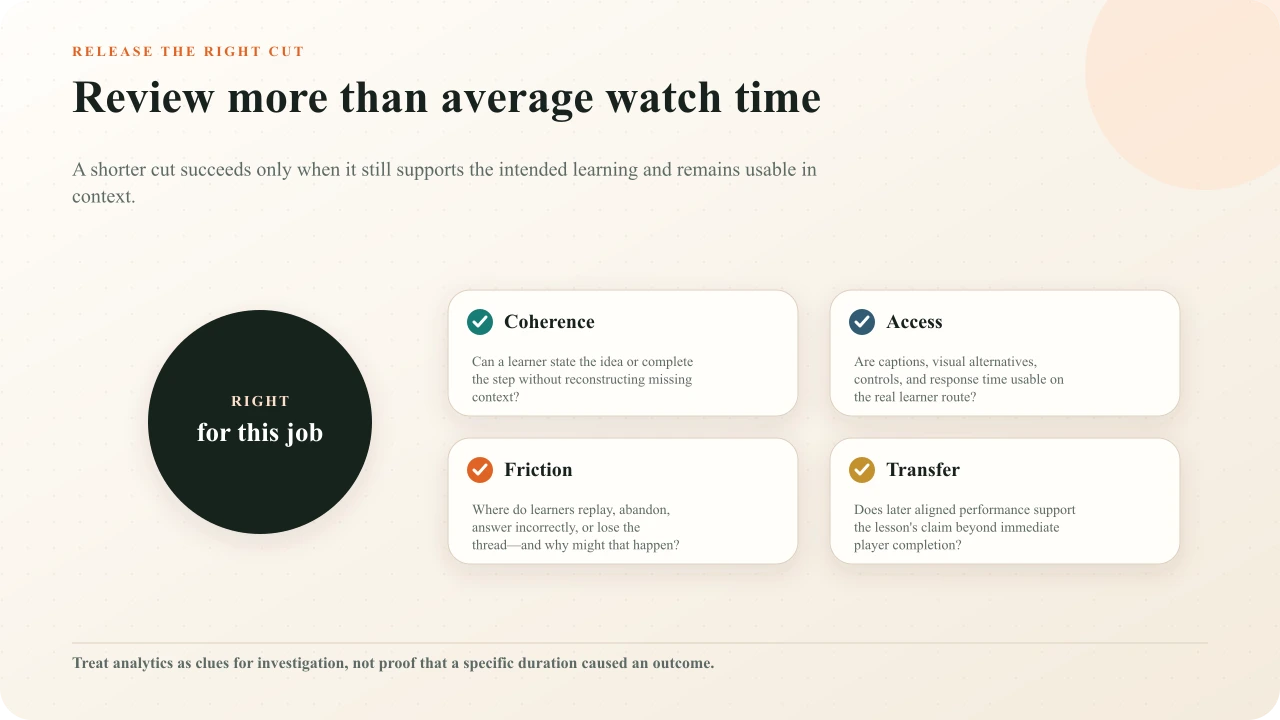
A drop-off point is a location, not an explanation. Learners may leave because the section is irrelevant, complete the needed step and depart, encounter a technical failure, lose context, face an inaccessible interaction, or simply run out of available time. Replays may indicate confusion, importance, poor audio, or deliberate study. Compare the player event with the content, response evidence, device route, and direct learner feedback before revising.
If the decision matters, compare two defensible versions with the same outcome, audience, access, and delivery conditions. Predefine what would count as improvement and include delayed aligned evidence when the claim concerns retention or transfer. Completion can describe a route; it does not by itself diagnose why the route worked or establish that shorter caused better learning.
Use the downloadable decision sheet
Complete the learning-video length decision sheet before recording and again after the first cut. It captures audience, learner job, necessary evidence, removable material, segment boundaries, interaction time, access requirements, risk, and evaluation. The change between the two versions is a useful review artifact: it shows why the final duration changed instead of presenting the clock as an unexplained mandate.
Interakly product boundaries
Interakly lets creators place timestamped questions and passive interactions over video, preview the learner route, and publish a responsive player. Uploaded media supports the spatial video interactions that depend on the authored frame. Supported YouTube media uses compatible non-spatial interactions. Complete segment-based Pathway branching requires uploaded video. Choose the source from the learning design and capability needed; do not promise a frame-level activity on a route that cannot support it.
Interakly records configured response and route events. Those records can help locate friction and compare observed behavior. They do not diagnose the cause, prove that a duration produced learning, certify physical performance, or replace an appropriate research design. The YouTube interaction-placement guide covers the supported workflow for a linked source, while the interactive-video overview explains the broader model.
Write the complete learning beat before recording
Use the script template to connect media, narration, interaction, feedback, access, and continuation.
Sources and further reading
- Guo, Kim, and Rubin (2014), How video production affects student engagement.
- Mayer and Pilegard, Principles for managing essential processing in multimedia learning.
- Short, Long, and Segmented Learning Videos (2024).
- Evidence-informed multimedia lesson design and segment-length discussion.
- Institute of Education Sciences practice guide: Organizing Instruction and Study.
- W3C Web Accessibility Initiative: Making Audio and Video Media Accessible.
- W3C guidance on captions.
- W3C guidance on description of visual information.
FAQ
What is the ideal length for a learning video?
There is no universal ideal. The useful length is the shortest complete treatment that preserves the evidence, context, accessibility, and practice needed for a defined learner task. A focused explanation may take minutes; a procedure may need a longer, chaptered demonstration.
Should every learning video be under six minutes?
No. Large observational studies have found stronger engagement with shorter videos in particular MOOC settings, but engagement is not a universal learning outcome and the finding is not a hard production limit. Use it as a prompt to remove avoidable material, then test your audience and task.
Is one long video or several short videos better?
Prefer coherent, learner-controlled segments. Separate videos when each can stand as a meaningful unit and learners benefit from direct access. Keep a process together when cutting it would remove conditions, continuity, safety context, or the relationship learners must understand.
How do interactions affect video length?
Interactions add response, feedback, reading, and recovery time. Count that complete learner time, but place prompts at conceptual boundaries rather than fixed time intervals. One useful decision may justify a pause; four decorative questions do not improve a short video.
How can I shorten a training video safely?
Remove repetition, greetings, decorative transitions, duplicated narration, and setup that does not support the outcome. Preserve necessary warnings, decision conditions, visual evidence, terminology, alternatives, captions, and explanation. Have a subject reviewer approve the revised claim and procedure.
Which metrics should I use to evaluate video length?
Combine route completion, replay and abandonment points, response evidence, learner feedback, accessibility findings, and delayed aligned performance. Those observations can identify friction, but they do not prove duration caused the result without an appropriate comparison design.
Build a learning route, not a minute target
Upload a video, place interactions at meaningful boundaries, preview the complete learner time, and test the published route.
Explore video interactions