How to Evaluate an Interactive Video Tool in Practice
Use a needs-based rubric and a representative author-to-learner task to evaluate interactive video tools without relying on feature counts or demos.
An interactive video tool is not one isolated feature. It is a workflow: obtain a source, author a learning moment, configure access, preview the learner experience, publish, support participation, and interpret the resulting evidence. A polished demonstration can skip the difficult parts. A useful evaluation makes those parts visible with one representative task.
This guide is vendor-neutral. It does not rank products or repeat competitor claims. It shows how to define a need, build a weighted rubric, observe real work, verify evidence, and decide whether a candidate deserves a pilot.
Define the need first
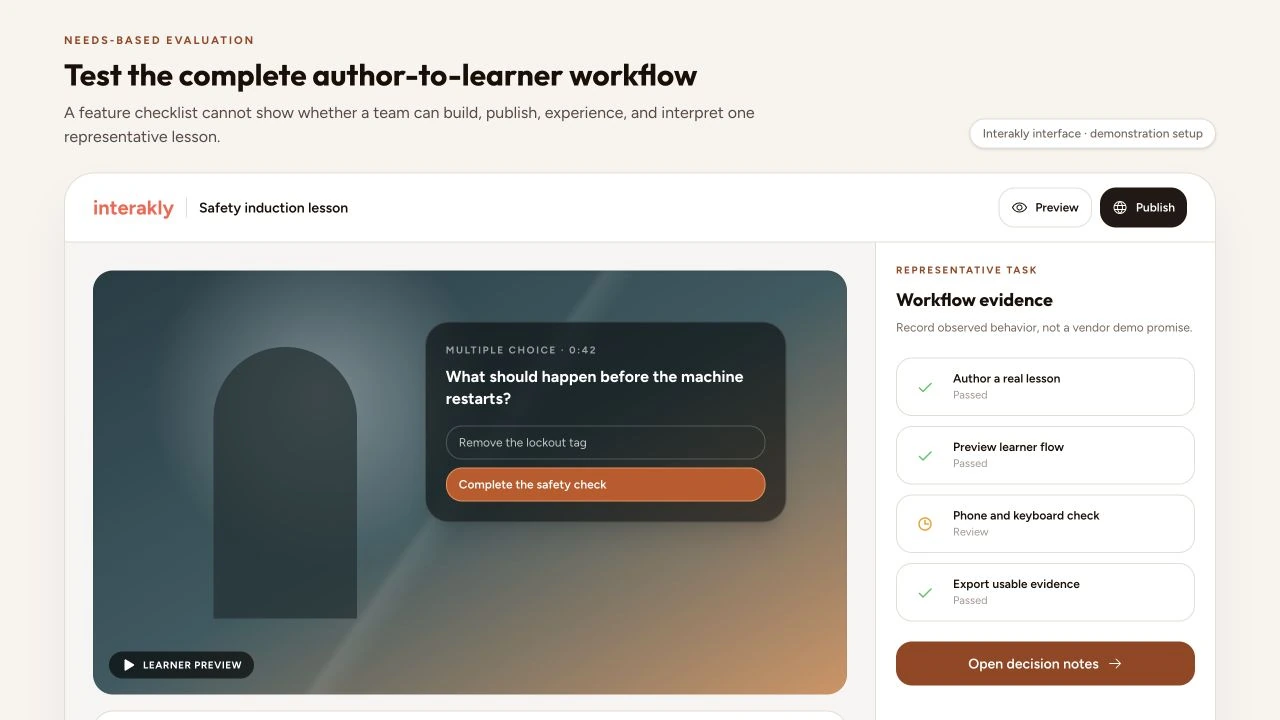
Start with the learning problem and audience. “We need interactive video” is a solution statement. “New technicians need safe practice identifying hazards in an uploaded equipment video before supervised work” provides a task, source, population, risk level, and outcome. That definition changes the weight of spatial authoring, feedback, mobile playback, identity, completion evidence, and support.
Inventory existing tools and constraints before opening a vendor shortlist. Record the LMS, identity provider, device floor, browser policy, video sources, caption process, privacy approvals, analytics destination, procurement rules, author skill, and support capacity. A candidate that looks excellent in isolation may duplicate an existing capability or fail because the operating environment cannot support it.
Feature-led question
Which product has the most interaction types and AI features?
Needs-led question
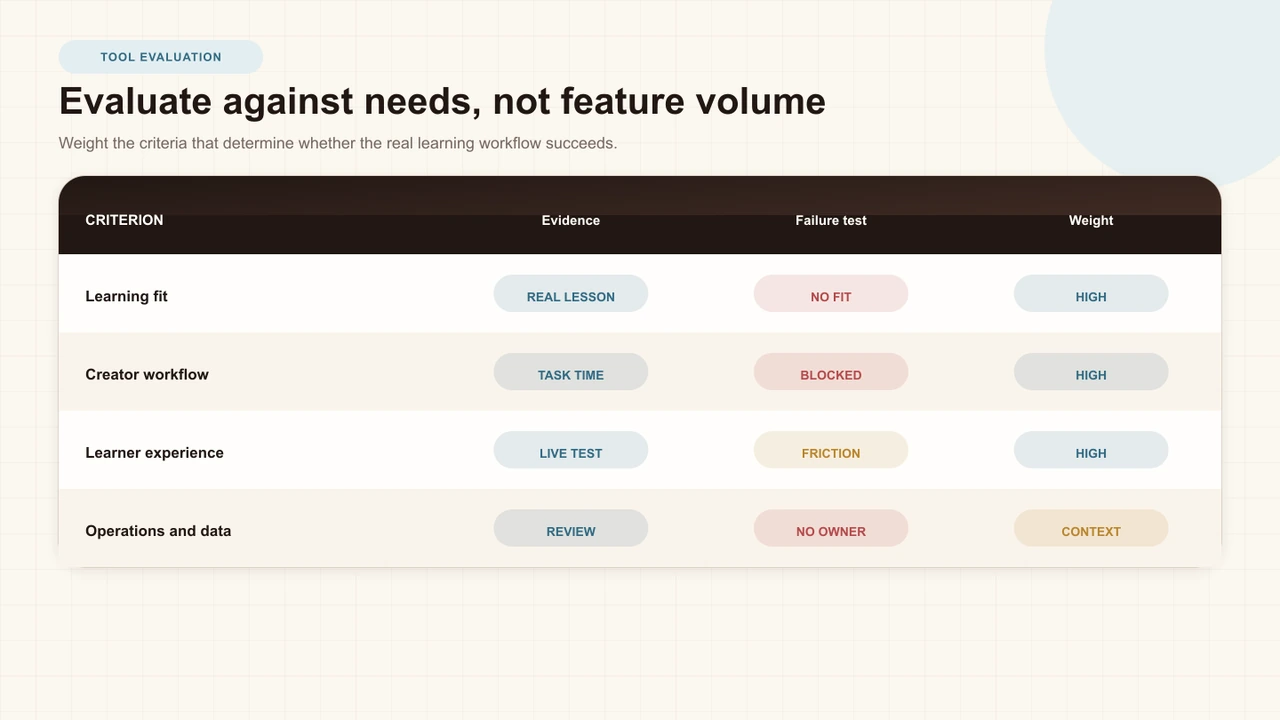
Which candidate lets this team build, deliver, support, and interpret the representative lesson within our constraints?
Build a representative task
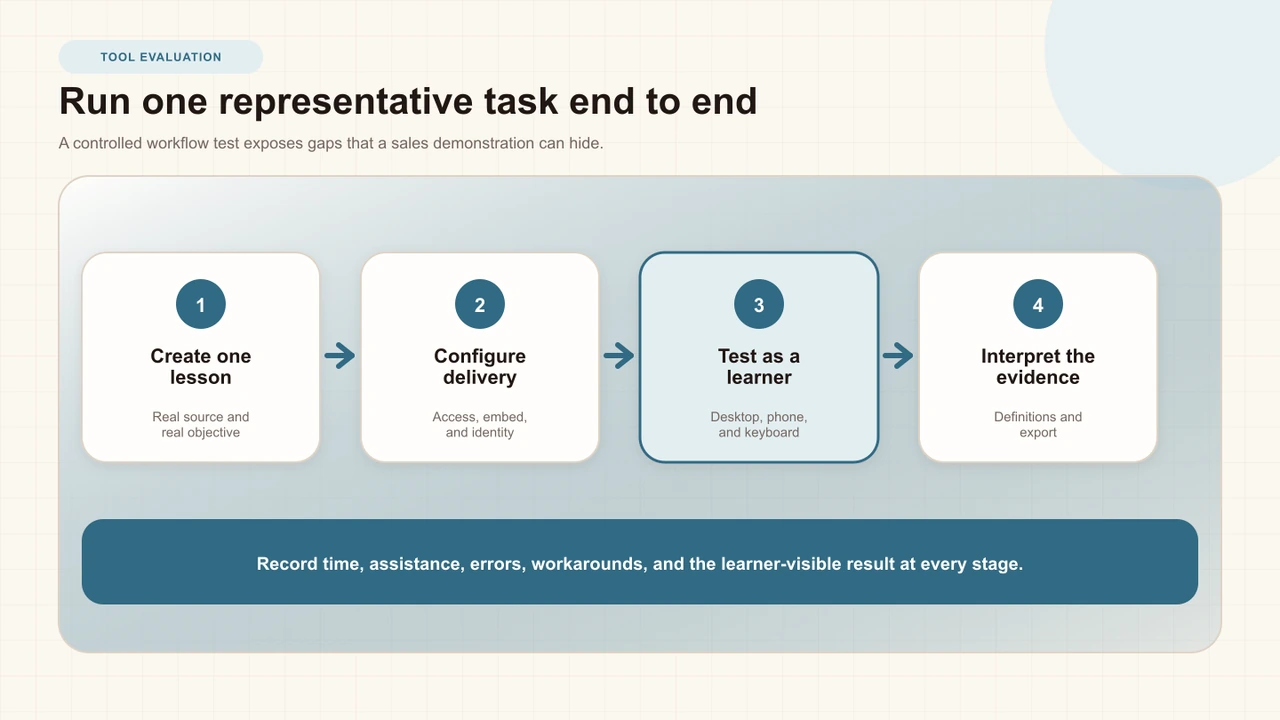
Give every candidate the same bounded task. Use a real or safely de-identified source, a clear objective, several interaction moments, one access route, a learner test, and an evidence review. Include the hardest ordinary requirement—not an exotic edge case, but the point most likely to decide whether daily work succeeds.
Observe an intended author rather than letting a product specialist perform every step. Record elapsed time, assistance, errors, repeated work, workarounds, uncertainty, and the quality of the published result. A task that takes ten minutes in a guided demo and two hours for an independent creator represents a different operational cost.
Evaluate source and interaction fit
Confirm which sources are first-class: uploaded media, YouTube, live video, externally hosted files, or LMS assets. Ask whether captions, thumbnails, aspect ratio, seeking, playback speed, embeds, and mobile behavior remain reliable for each source. Do not transfer a capability demonstrated on an uploaded file to YouTube without testing; browser and platform boundaries can produce materially different workflows.
Evaluate interaction semantics, not just names. A multiple-choice prompt needs clear selected, submitted, correct, incorrect, and review states. A hotspot needs authoring geometry, learner hit testing, feedback, keyboard strategy, and responsive behavior. A branching choice needs destination validation, route preview, rejoin behavior, completion logic, and analytics that do not flatten every path into a linear assumption.
Test the creator workflow
The editor determines whether capability becomes usable content. Test source ingestion, timeline placement, canvas arrangement where relevant, question editing, feedback, scoring, duplication, deletion, undo, responsive preview, publishing, and later revision. Watch for hidden modes, lost drafts, ambiguous save state, and configuration that appears in the inspector but not in the published learner experience.
Distinguish configuration depth from clarity. Rich customization is useful when defaults are coherent, states are visible, and changes have an honest preview. A dense panel of controls can slow common tasks or imply support the runtime does not actually provide. Test color, type, layout, placement, duration, branching, and access options by changing them and verifying the live result—not by reading labels.
Test the learner workflow
Publish the representative lesson and experience it as an unauthenticated learner, an authorized learner, and a returning learner where applicable. Test phone and desktop widths, touch and keyboard, captions, seeking rules, response submission, feedback, progress, completion, replay, and error recovery. If the program will embed the player, test the real narrow host column instead of a standalone full-page viewer.
Visual quality is part of functional fit. Selected choices must remain obvious, text must retain contrast, cards must fit without hiding controls, spatial markers must align with the media, and interaction chrome must not cover captions or transport. Screenshot the same moment across the maintained device grid and compare the composition rather than accepting “responsive” as a marketing adjective.
Evaluate accessibility in both directions
W3C's Authoring Tool Accessibility Guidelines divide the problem into two halves: make the authoring tool accessible to creators, and help creators produce accessible content. An evaluation that checks only the published player misses authors who cannot navigate the editor. An evaluation that checks only the editor misses learners facing inaccessible interaction output.
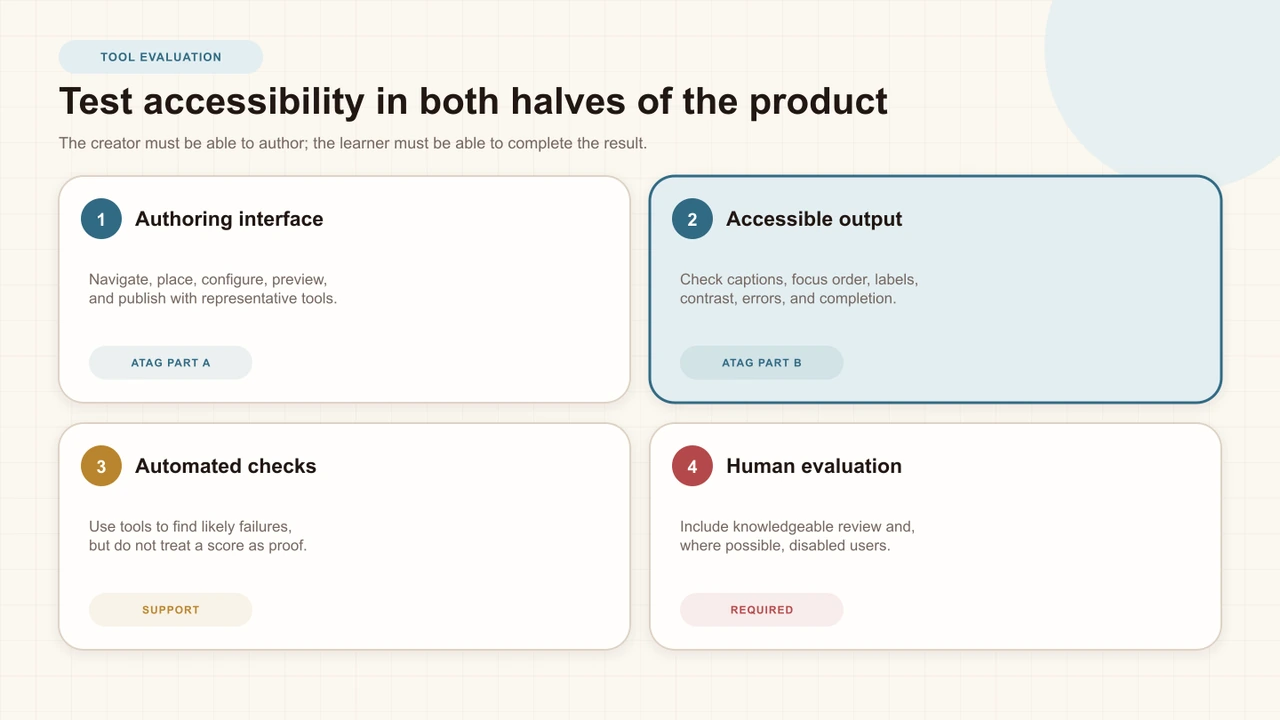
Test keyboard order, visible focus, labels, instructions, validation, contrast, captions, alternative content, timing, zoom, screen-reader announcements, and input methods relevant to the product. W3C's evaluation guidance is explicit that tools can assist but no tool alone can determine whether a site meets accessibility requirements. Combine automated checks, expert review, and participation by disabled people where possible.
Review privacy and security evidence
Bring the data map from the interactive-learning privacy guide. Ask what is collected from creators and learners, which fields are optional, how anonymous and signed-in sessions differ, who can access results, how deletion works, where subprocessors operate, and what changes after an LMS launch or export. Read the current policy and agreement; do not score a logo, badge, or unsupported compliance phrase as evidence.
Review authentication, authorization, encryption, vulnerability handling, incident communication, logging, backup, secure configuration, and support access with qualified security colleagues. CISA's guidance on secure and verifiable technologies encourages buyers to prefer evidence and secure-by- design behavior. Translate that principle into precise questions the team can verify within its risk level.
Check analytics definitions
Ask the product to define a view, session, learner, response, completion, correct rate, score, watch event, and export row. Then reproduce a small result manually: two sessions, a retake, one anonymous attempt, and one technical failure. If the dashboard cannot explain which observations enter the numerator and denominator, the number will be difficult to govern.
Test question distributions, incomplete sessions, branching routes, filters, date windows, creator views, exports, and missing-source behavior. Analytics should support an instructional question without pretending that a descriptive pattern is causal proof. The companion guides on question analytics, completion rate, and watch heatmaps provide concrete interpretation checks.
Verify integrations and portability
Test the exact embed, LMS, identity, grade, and export route you plan to use. For LTI, distinguish basic launch, deep linking, Assignment and Grade Services, Names and Role Provisioning, implementation conformance, and current certification. 1EdTech publishes implementation, conformance, and procurement guidance precisely because “supports LTI” is not one complete technical claim.
Check who creates links, how deployments are configured, which identifiers move, whether grades are returned to the right line item, and how a failed launch is diagnosed. Ask what can be exported if the organization leaves, what remains editable, and which semantics are lost. Portability is not only file download; it includes the practical ability to preserve content, evidence, and learner records under an approved transition plan.
Measure operations and support
Estimate authoring time per finished minute, review time, caption work, training, template maintenance, learner support, identity administration, LMS setup, analytics review, and content updates. Record both steady-state work and peak events such as term launch or mandatory training deadlines. A license price without operating effort is not a total-cost estimate.
Test help content and escalation with a realistic question. Note response routes, hours, service commitments, status visibility, diagnostic evidence, and whether support can explain product behavior without requesting excessive learner data. Identify the institutional owner for platform administration and the instructional owner for content quality.
Score evidence, not promises
Use hard gates before weighted scoring. A critical privacy, accessibility, security, source, or workflow failure should not disappear inside a high total generated by minor features. For weighted criteria, record the test, observation, evidence link, evaluator, uncertainty, and any condition. A score without a traceable observation is merely a preference with decimals.
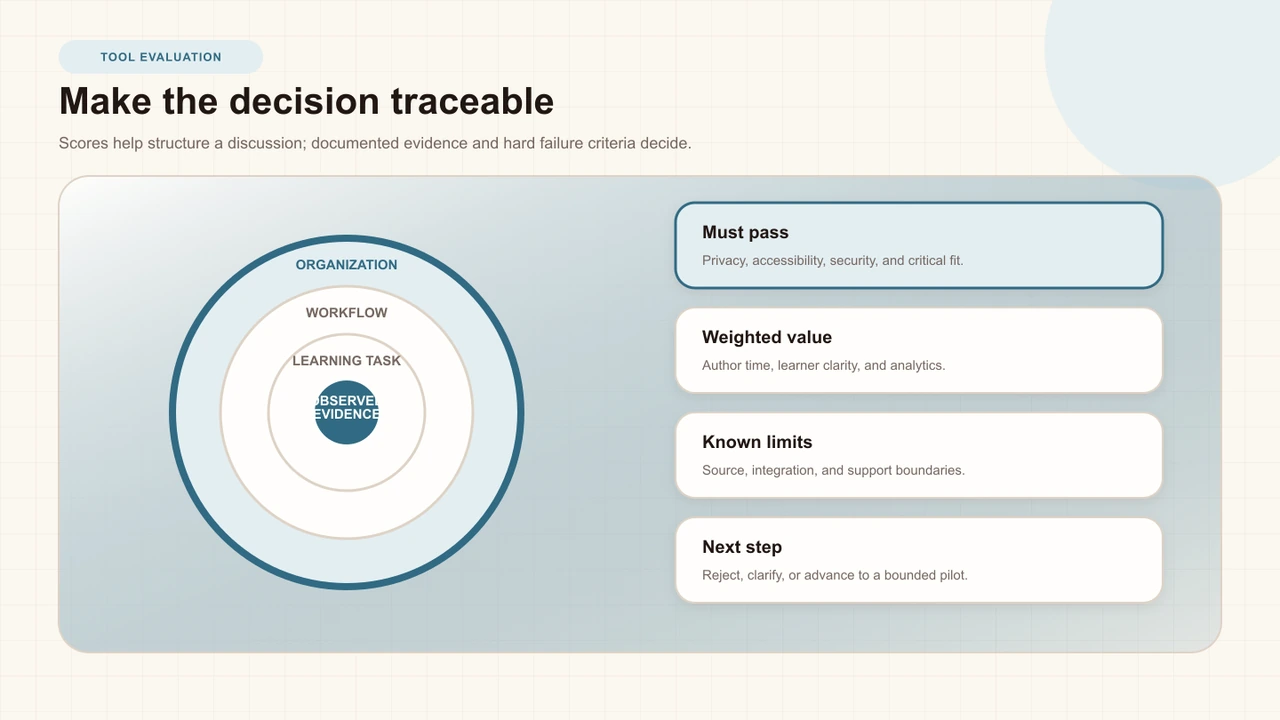
End with one of three clear outcomes: reject because a hard requirement failed; clarify because evidence remains missing or contradictory; or advance to a bounded pilot because the workflow appears viable. Do not describe a guided evaluation as proof of adoption, learning impact, or return on investment. Those are later questions with different evidence.
Interakly product boundaries
Interakly supports uploaded video and YouTube as distinct source workflows. Uploaded media supports the complete on-frame spatial canvas, including movable and resizable frame interactions. YouTube supports non-spatial timestamped interactions. Both can use the shared editor, learner preview, publishing, response, and analytics systems, but a capability shown for one source must not be assumed for the other.
Current Interakly editor controls include multiple interaction families, appearance customization, preview, access options, share and embed flows, and publishing validation. Analytics include session, completion, score, question, and watch-activity surfaces with definitions and product-specific limits. Interakly includes LTI 1.3 integration code and Assignment and Grade Services workflows; this article does not claim current 1EdTech certification. Verify current product, policy, and certification evidence during a real evaluation.
A practical evaluation sequence
Write the need
Define audience, source, task, system, evidence, risk, and operating constraints.
Set gates and weights
Separate non-negotiable failures from valuable but tradable criteria.
Run the authoring task
Have an intended creator build and publish a representative lesson.
Run the learner test
Test real access, embed, devices, input methods, responses, and recovery.
Reconcile the evidence
Verify analytics definitions, integrations, privacy, accessibility, support, and cost.
Decide the next stage
Reject, clarify, or proceed to a bounded pilot with explicit criteria.
If a candidate advances, use the interactive-video pilot guide to test feasibility and implementation before organization-wide rollout. For lesson quality inside any selected tool, the interactive-video best-practices guide provides the design baseline.
Sources and further reading
- W3C Authoring Tool Accessibility Guidelines overview — evaluates accessible authoring and accessible output.
- W3C WCAG overview — current web-content accessibility standards and supporting material.
- W3C Evaluating Web Accessibility — explains the roles of tools and knowledgeable human review.
- W3C Planning and Managing Web Accessibility — organizational planning and monitoring guidance.
- CISA: Choosing Secure and Verifiable Technologies — buyer-oriented secure-by-design guidance.
- US Department of Education model terms checklist — privacy questions for online educational services.
- 1EdTech LTI implementation guide — current implementation concepts and service boundaries.
- 1EdTech suggested LTI Advantage RFP requirements — procurement-oriented evidence questions.
FAQ
What is the best interactive video tool?
There is no context-free best tool. The useful choice is the one that passes the non-negotiable requirements and performs well on a representative author-to-learner workflow for your audience, sources, systems, and evidence needs.
Should feature count determine the winner?
No. A long feature list can reward breadth that the program will never use. Weight the capabilities that affect the real lesson and treat critical privacy, accessibility, security, and workflow failures as gates.
How should accessibility be evaluated?
Test both the authoring interface and the learner output. Combine automated checks with knowledgeable human evaluation and representative tasks; no automated tool alone can determine accessibility.
Does LTI support mean a product is LTI certified?
No. Implementation, conformance, certification, and the particular LTI services enabled by an institution are different claims. Ask for current evidence and test the exact launch and grade-return workflow you need.
How many tools should a team shortlist?
Enough to compare viable approaches without diluting the test. Two or three qualified candidates are often more useful than a broad list evaluated only through demos, but the right number depends on procurement requirements and available time.
What should happen after evaluation?
Reject tools with hard failures, clarify uncertain evidence, and advance the strongest viable option to a bounded pilot with explicit success and stop criteria.
Test a real workflow, not a feature list
Create a representative interactive lesson in Interakly, preview it as a learner, and inspect the evidence the workflow produces.
Explore video interactions