What Is a Branching Scenario? A Practical Guide
Learn what a branching scenario is, how choices change what learners see next, when branching fits, and how it differs from quizzes and navigation.
A branching scenario lets someone make a decision inside a believable situation, then experience what follows from that decision. The route is part of the teaching. A learner does not merely select an answer and receive a green or red message. Their choice changes the context, consequence, or next scene.
That distinction matters because ordinary quizzes, menus, and branching scenarios can all display buttons. The buttons may look similar, but they ask for different thinking and produce different evidence. This guide gives you the vocabulary and tests needed to choose the right pattern.
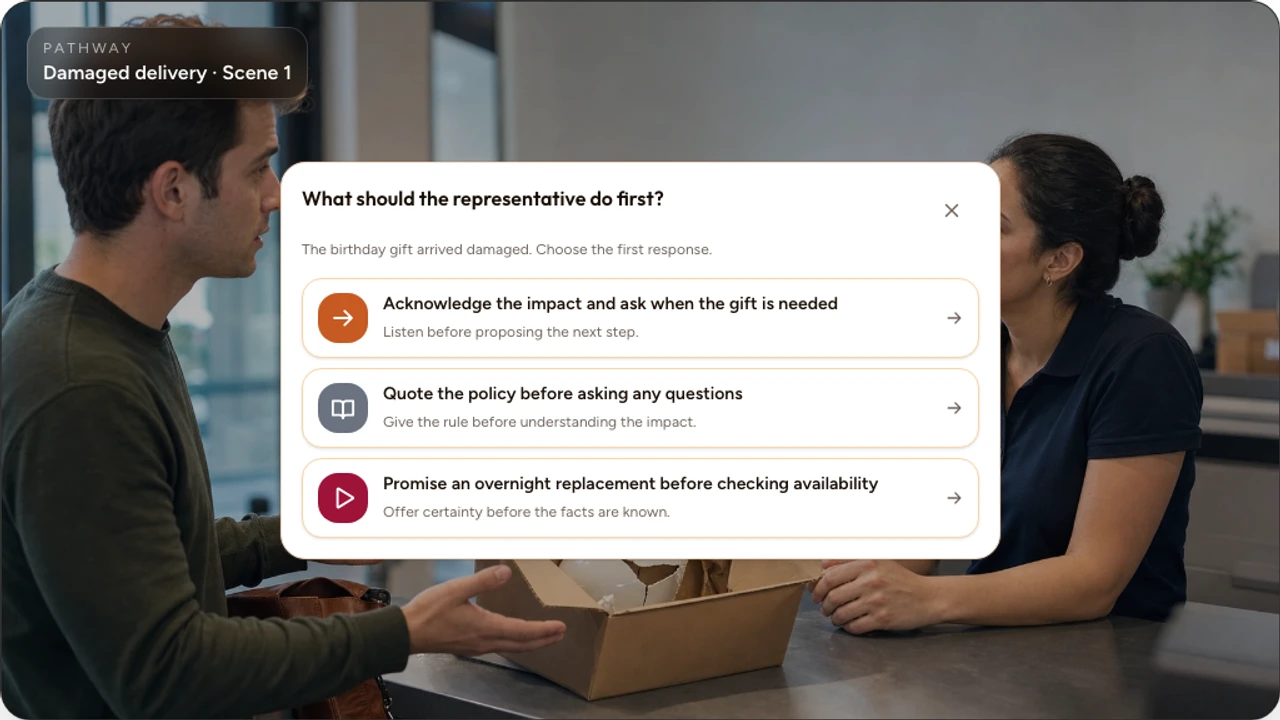
The definition in one sentence
A branching scenario is an interactive sequence in which a learner's decision changes what they experience next.
The change might be a new conversation, a different problem, a visible consequence, a coaching scene, or an ending. The important point is that the route responds to the learner's judgment. If every option returns to the same unchanged content immediately, the activity may still be useful, but it is not doing much branching.
The anatomy of a branching scenario
A useful scenario usually contains six connected parts. Removing one may turn a decision into a guess, a link, or a dead end.
Situation
Enough context for the learner to understand the role, goal, constraints, and people affected.
Decision
A clear judgment the learner must make, rather than a trivia question added to a story.
Credible options
Actions a real person might consider, written without a joke answer or an obvious moral label.
Route
The connection between the selected option and the Scene or outcome that follows.
Consequence and feedback
A response that shows what changed and explains the principle behind the result.
Resolution
An ending, recovery, or rejoining point that closes the learning loop honestly.
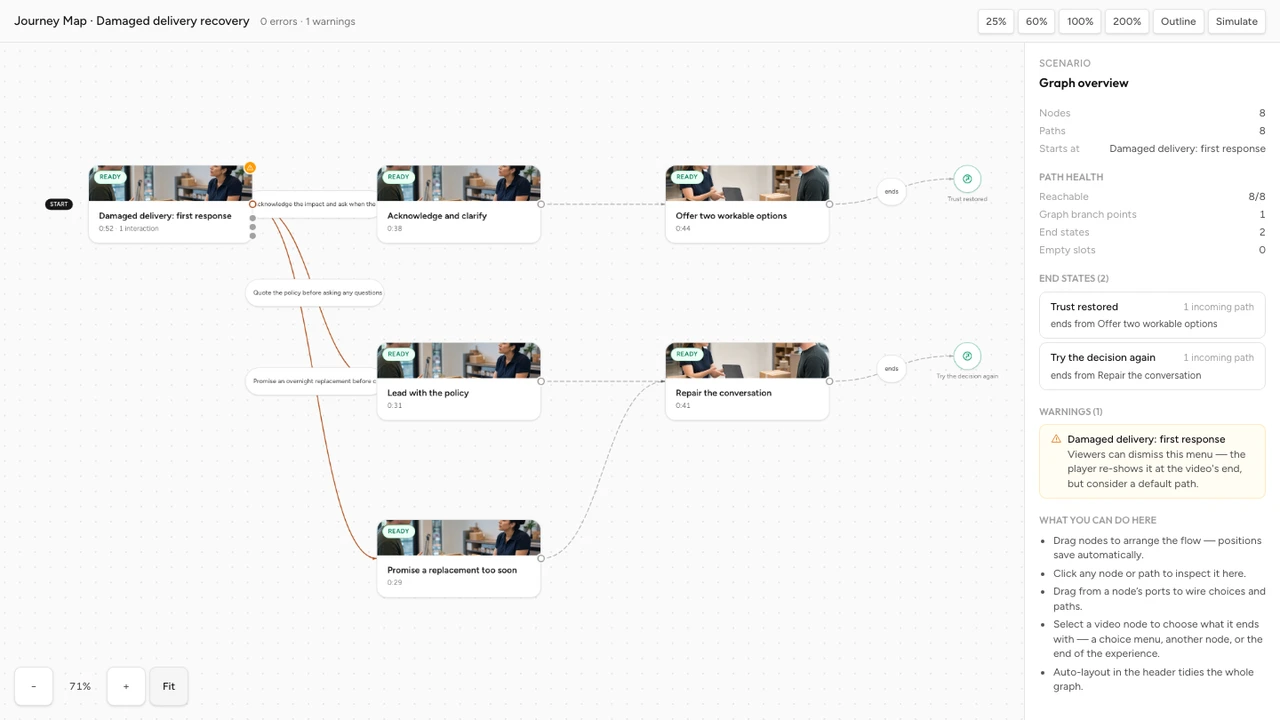
A customer service example
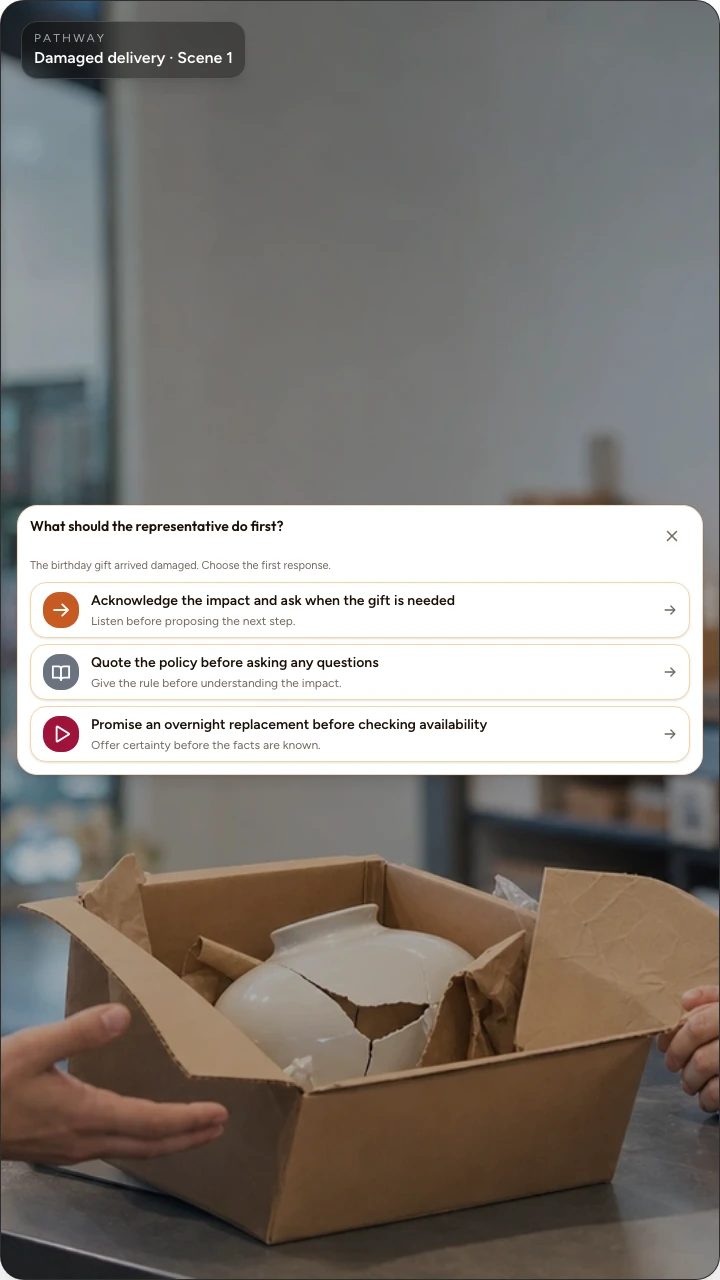
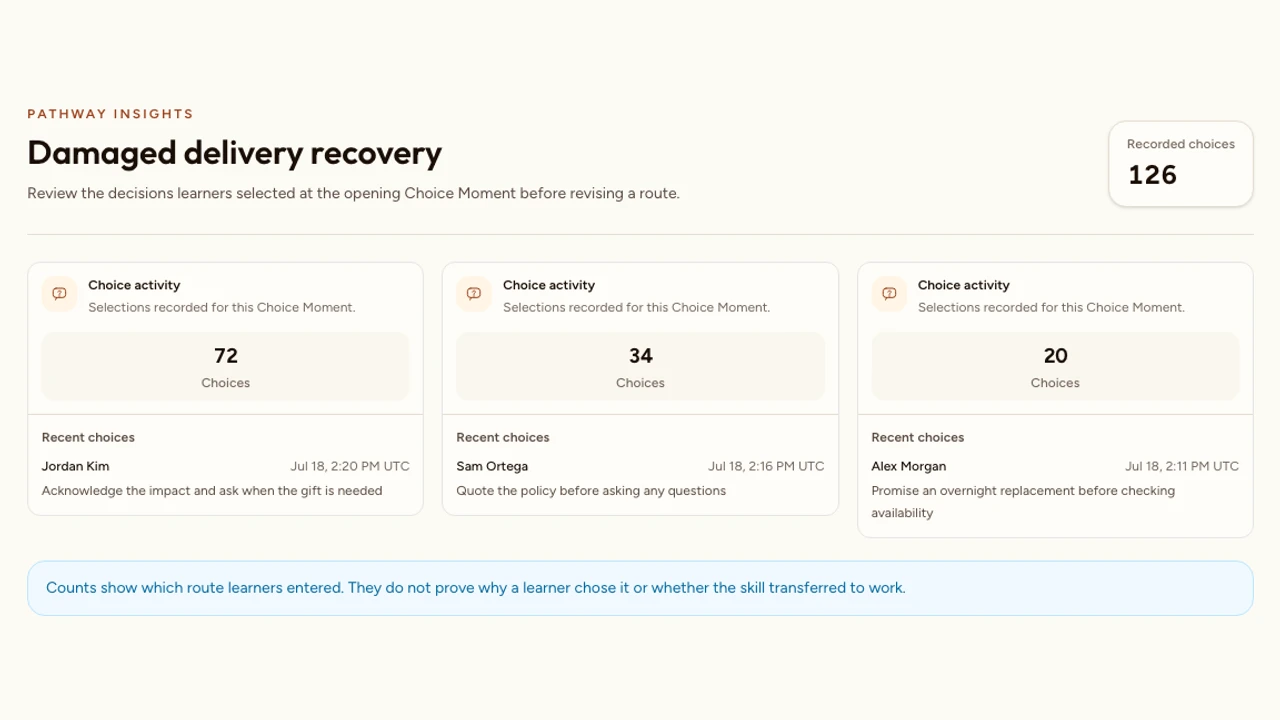
Imagine a customer contacting a support team because a delivery needed for an event has not arrived. The learner plays the support agent. The first decision is not “What is good customer service?” It is an action that could occur in the conversation:
- Acknowledge the impact and ask what outcome matters now.
- Quote the delivery policy before asking another question.
The first route reveals that the customer needs replacement materials by tomorrow, so the learner can compare realistic resolution options. The second route shows the customer becoming more frustrated because the response did not address the immediate problem. A recovery decision then asks the learner to repair the conversation.
Both routes teach. One demonstrates how clarification produces useful information. The other makes the cost of a policy-first response visible and offers a chance to recover. The weaker route is not included merely to punish the learner. It exposes a plausible mistake and makes the underlying principle easier to see.
Branching scenario vs quiz
A quiz asks for evidence of knowledge or performance. After feedback, the lesson often continues through the same sequence for everyone. A branching scenario uses a decision to select a different next context. These patterns can work together, but they are not interchangeable.
Branching scenario
Learner action
Makes a decision inside a situation
What follows
The decision changes the next context, consequence, or Scene
Useful evidence
Judgment, route, and response within the scenario
Quiz question
Learner action
Answers a question
What follows
The same lesson usually continues after feedback
Useful evidence
Correctness, score, explanation, or constructed response
Navigation menu
Learner action
Chooses where to go
What follows
The selected destination opens
Useful evidence
Interest or navigation preference, not necessarily judgment
In the customer-service example, asking “Which response shows empathy?” and then showing an explanation is a quiz question. Letting the learner choose a response, hear the customer react, and handle the changed conversation is a branch. The second pattern collects evidence closer to the real task: choosing and adapting during a conversation.
Choose the right stakes for a question
Separate practice, feedback, scoring, and consequential assessment before adding them to a scenario.
Branching scenario vs navigation
Navigation gives the audience control over where to go. “Show me billing” and “Show me delivery” may be excellent menu choices, but they do not necessarily represent a decision inside a situation. The user is choosing a destination, not practising judgment.
A choice becomes scenario-based when context makes the options meaningful and the selected action changes what follows. “Approve a replacement now” and “Investigate the carrier scan first” are decisions if the learner must weigh urgency, evidence, policy, and customer impact.
- Use navigation when the audience knows what information they need and should control the order.
- Use a quiz when you need a focused response and the same instruction should continue.
- Use a branching scenario when the decision and its consequence are the learning experience.
When branching is useful
Branching earns its production cost when the learning objective involves judgment under context. It is especially useful when several actions appear reasonable at first, consequences unfold over time, and feedback is more convincing when the learner sees the result.
Strong uses include:
- customer conversations and service recovery;
- coaching, feedback, and leadership conversations;
- safety decisions in a controlled practice environment;
- sales discovery and objection handling;
- triage and prioritization with suitable expert review;
- onboarding choices that depend on role or prior experience;
- ethical or policy decisions where the reasoning matters.
A useful branch can also reveal uncertainty. If many learners choose an option for a sensible reason that the design did not anticipate, the scenario may need clearer context or a more nuanced consequence. The route is evidence about the design as well as the learner.
Place scenarios inside a complete training workflow
Connect practice, feedback, review, and response evidence to onboarding, compliance, and professional development.
When branching is the wrong tool
A branching scenario is not automatically more engaging or more effective than a clear linear explanation. Each additional route needs content, review, accessibility checks, and testing. Use a simpler format when branching does not improve the evidence or the practice.
Prefer a linear lesson or focused question when:
- everyone must see the same short safety or policy statement;
- the objective is one fact, label, calculation, or sequence;
- there is only one credible action and no useful misconception to explore;
- the consequences would need unsupported clinical, legal, or technical claims;
- you cannot test every route before release;
- maintenance owners cannot keep all Scenes accurate.
Decide whether the lesson should branch
Compare linear, branching, and hybrid structures by objective, learner experience, consequence value, and production cost.
What makes a choice meaningful
Meaningful choices are credible, distinguishable, and consequential. The learner should be able to explain why each option might tempt someone and what principle separates the better action from the weaker one.
- Credible: A person in the role might genuinely consider the option.
- Comparable: Options describe actions at the same level, not one broad attitude beside one precise step.
- Neutral in tone: Wording does not announce which answer the author prefers.
- Grounded in context: The decision can be made from the information the learner has received.
- Consequential: The selection changes the next problem, reaction, feedback, or resolution.
In the delivery example, “Ignore the customer” is too obviously poor to produce useful evidence. “Explain the policy before clarifying the immediate need” is more diagnostic because it reflects a plausible habit: prioritizing procedural accuracy before understanding the problem.
Turn plausible reasoning into meaningful choices
Work from the decision, competing motives, and tradeoffs before polishing the learner-facing option labels.
Write plausible alternatives without tricking learners
Use real misconceptions and recognizable errors to make every option informative.
Design consequences that teach
A consequence is the changed situation that follows a decision. Feedback explains what the learner should notice about that change. Good scenarios use both.
If the learner quotes policy first, the customer may repeat the urgency more forcefully. That reaction is the consequence. A short coaching note can then explain that policy is useful after the agent understands the customer's immediate need. The consequence makes the principle visible; the feedback names it.
Useful consequences should be:
- proportionate to the decision;
- plausible in the setting;
- specific enough to reveal cause and effect;
- free from humiliation or theatrical punishment;
- paired with a recovery path when recovery is part of the real skill.
Turn a result into useful instruction
Write feedback that identifies the evidence, explains the reasoning, and supports a better next attempt.
How branching works in Interakly
Interakly calls a connected branching experience a Pathway. Creators organize the experience on a Journey Map, add connected Scenes, and use Choice Momentsto let a learner select what happens next. A blank starter and a two-choice decision starter are available in the Pathways library.
Complete branching video uses uploaded video. This lets Interakly connect the authored video Scenes into the Pathway. Supported YouTube sources can receive compatible timestamped interactions over the embedded video, but they do not use the uploaded-video segment branching workflow.
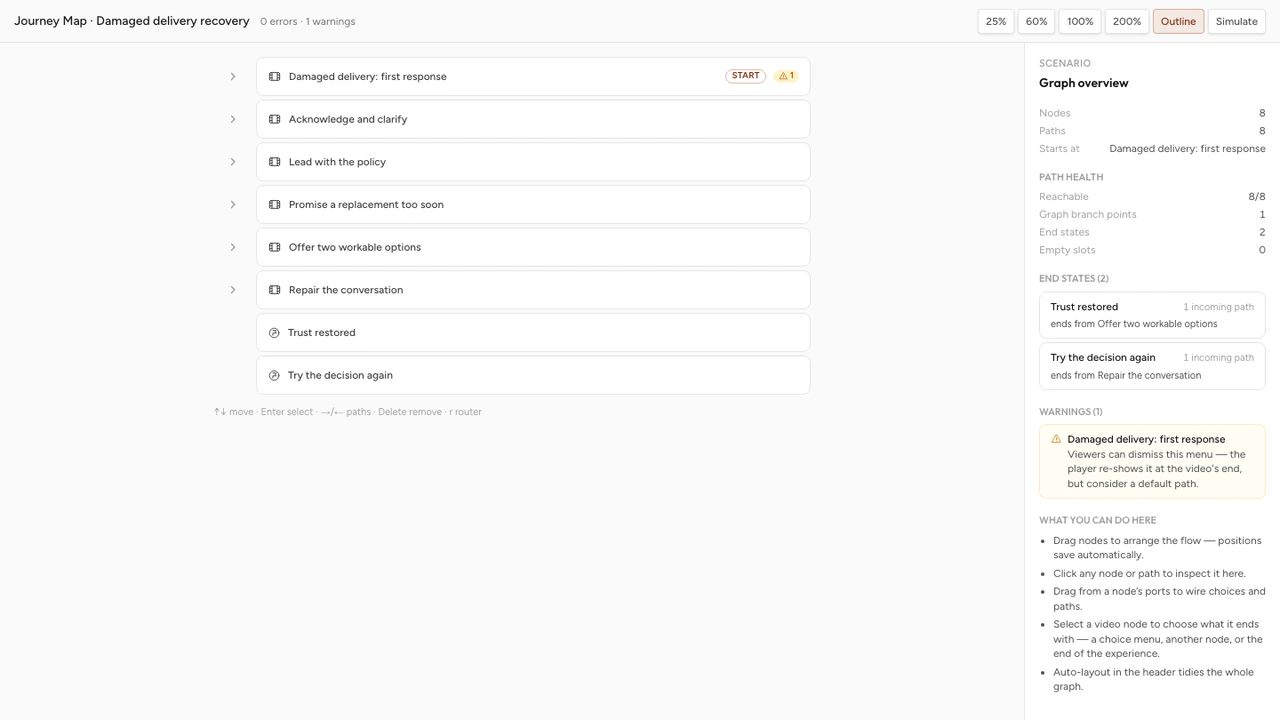
Build a branching video step by step
Move from an uploaded source and Journey Map to connected Scenes, Choice Moments, route testing, and publishing.
Plan a first scenario
Begin with one decision that matters. Do not begin by drawing a large tree. The first planning pass should fit on one page.
Name the real decision
Write what a capable person must decide in the role. For the customer-service example: decide how to respond before knowing the exact resolution the customer needs.
Supply fair context
Give the learner the role, immediate goal, known facts, constraints, and any information they would genuinely have at that moment.
Write two credible actions
Start with the strongest realistic alternative and one plausible weaker action. Remove moral labels, unequal detail, and joke options.
Show one consequence for each
Describe what the customer says or what the situation becomes because of the action. Keep the effect proportionate and observable.
Add explanation and recovery
Explain the principle behind each result and decide whether the learner should repair the situation, rejoin the main route, or reach an ending.
Test the route as a learner
Complete every option from the opening Scene to a valid resolution. Check context, wording, timing, feedback, and the return from each branch.
Use the complete branching scenario design framework
Turn a target decision into meaningful options, consequences, feedback, recovery, and a maintainable route map.
Review the complete route map
A scenario is not ready because its preferred route works. Every available option is a promise that the learner can continue meaningfully. Review the whole graph before publishing.
- Every choice leads to the intended Scene or resolution.
- No route ends accidentally or traps the learner in a loop.
- Later Scenes reflect any earlier context that still matters.
- Consequences are credible, proportionate, and instructionally useful.
- Choice labels and controls remain understandable on phone and desktop.
- All media, captions, feedback, and endings have been reviewed by the appropriate subject owner.
Ask one reviewer who does not know the intended answer to complete every route. Their explanation of each choice is often more useful than a simple report that the buttons worked.
Apply the wider interactive video release checklist
Review purpose, timing, question quality, feedback, mobile presentation, accessibility, and evidence before launch.
FAQ
What is a branching scenario?
A branching scenario is an interactive sequence in which a learner makes a decision and that decision changes the context, consequence, or next scene they experience. Its purpose is to let people practise judgment, see what follows from a choice, and learn from the result.
What is the difference between a branching scenario and a quiz?
A quiz usually records an answer and then continues through the same content. A branching scenario uses the response to change what happens next. A quiz can appear inside a scenario, but a score or feedback message alone does not create a branch.
Is a menu with several links a branching scenario?
Not by itself. A menu helps someone navigate to content they already intended to visit. A branching scenario presents a decision within a situation, preserves the relevant context, and makes the selected option affect the experience or consequence that follows.
How many branches should a scenario have?
Use the fewest routes needed to represent the important decisions and consequences. Two credible options can teach more than eight cosmetic options. Add a branch only when it creates meaningfully different practice, evidence, feedback, or context.
Does every choice need a completely separate ending?
No. Routes can diverge for a consequence or coaching moment and then rejoin when the later context is genuinely the same. Rejoining keeps the experience manageable, but it should not erase a consequence that still matters to the situation.
Can Interakly create a branching scenario from a YouTube video?
Complete segment-based branching uses video you upload to Interakly. Supported YouTube videos can contain compatible timestamped interactions, including choice moments, but the uploaded-video Scene and segment workflow is the route for a complete branching video experience.
When should I avoid branching?
Avoid branching when everyone needs the same short explanation, when there is no genuine decision to practise, or when you cannot produce and test the consequences responsibly. A linear explanation followed by a focused question is often clearer and cheaper to maintain.
Compare branching with other interactive video patterns
See when a question, poll, info card, spatial activity, or branching experience best matches the learner action you need.
Understand the wider interactive video category
Learn how questions, feedback, choices, and other interactions turn video viewing into an active experience.
Build one decision that teaches
Start with a real situation, two credible actions, and consequences that help learners understand what their judgment changes.
Explore Choice Moment