Interactive Video Lesson Design: A Practical Guide
Design a complete interactive video lesson with clear outcomes, coherent media, matched learner actions, useful feedback, accessible delivery, and honest evidence.
Interactive video becomes a lesson when the parts form one instructional decision. The source gives learners something worth noticing or understanding. The prompt asks them to do something that matches the intended outcome. Feedback responds to what they did. The ending carries the idea into another example, discussion, decision, or performance.
This guide helps educators and training teams design that connected experience. It covers outcomes, source choice, teaching segments, learner actions, pacing, feedback, transfer, accessibility, delivery, published-path testing, and responsible use of response evidence. The goal is not to maximize clicks. It is to create a lesson in which every interaction has a clear learning job.
Design a lesson, not a decorated video
Begin outside the editor. Name the audience, context, decision, and consequences. A nurse reviewing a changed intake procedure, a student learning watershed boundaries, and a new employee practicing a customer conversation do not need the same source, interaction, stakes, or evidence. The video is one part of the environment, not the objective.
Remove any element that cannot answer “what changes for the learner here?” A chapter can improve navigation. An info card can prevent a definition gap. A quiz can create retrieval or diagnostic evidence. A poll can make a prediction visible. A scenario choice can expose judgment. Those are different jobs; variety alone is not a design principle.
Decorated video
Add a question every few minutes, show a score, and call the result engaging.
Designed lesson
Define the change, teach the required evidence, elicit a matched action, respond, and use the result in the next learning step.
Define the outcome and evidence
Write one observable outcome. “Choose the safest first response and justify it with two conditions from the scene” is more actionable than “understand service recovery.” Then write what evidence would support the claim and what it would not establish. A correct choice under a stated scenario can show application of criteria in that scenario; it does not prove the learner will perform identically under pressure at work.
Match stakes to consequence. A low-stakes prediction can activate prior knowledge. A knowledge check can guide feedback. A scored quiz can support a defined decision when its items and rules are defensible. High-consequence certification, safety authorization, or clinical judgment requires additional qualified assessment and governance. The knowledge-check versus quiz guide helps separate practice, formative use, and summative stakes.
Check prerequisites and learner conditions
List what learners must already know, perceive, and be able to do. A complex procedure may require vocabulary and component identification before diagnosis. A historical interpretation may require source context before a claim. A mobile field worker may have noise, glare, gloves, low bandwidth, and little uninterrupted time. These conditions change the lesson even when the outcome stays the same.
Use a short pre-question only when it supports the lesson: activate relevant prior knowledge, expose a prediction, or route support. Do not open with a graded trap on information that has not been taught. The IES Organizing Instruction and Study practice guidedistinguishes pre-questions from quizzes that re-expose learners to key content and also recommends explanatory questions, integrated graphical and verbal representations, and spaced review. Apply the recommendation that fits the learner and outcome.
Build a complete lesson arc
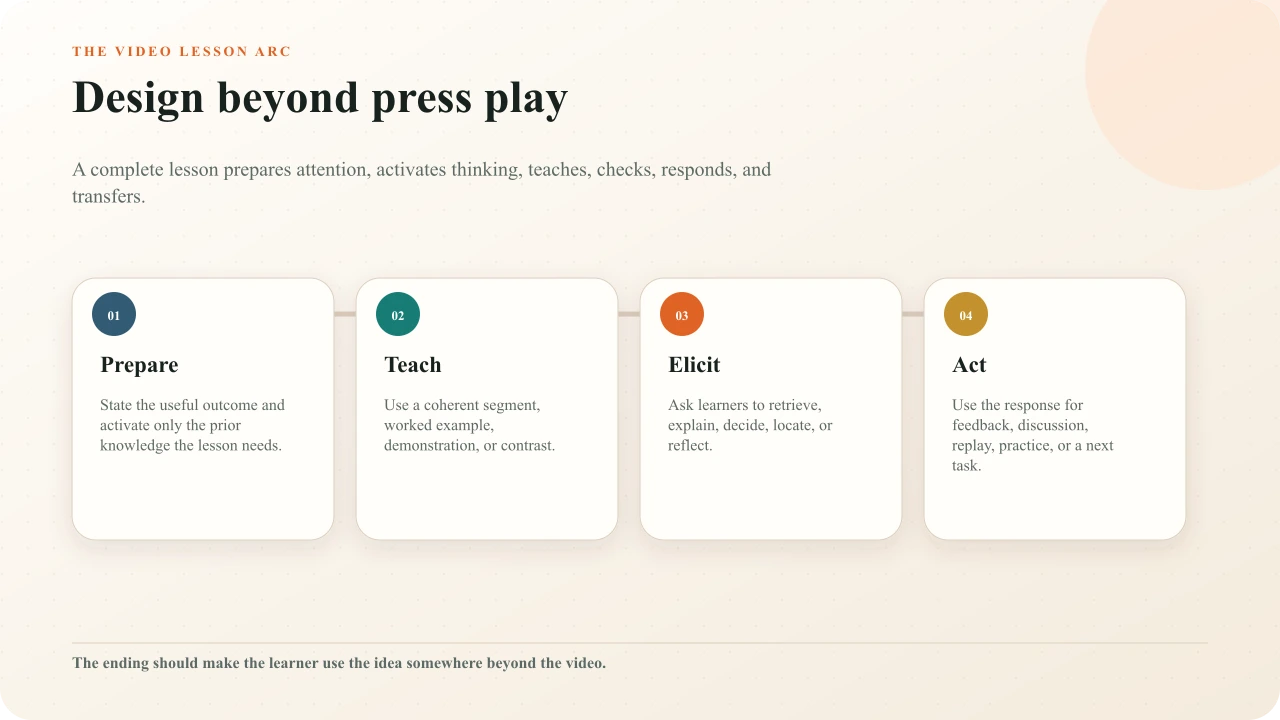
Prepare the learner with a useful purpose and only the prerequisite knowledge the task needs. Teach through a coherent explanation, demonstration, worked example, comparison, or source. Elicit a response that matches the intended evidence. Act on that response through feedback, discussion, replay, another example, route, or next task. End by asking learners to use the idea somewhere beyond the exact source they just watched.
The arc may repeat several times. A ten-minute procedure lesson could model one complete task, pause for a sequence check, show a second case, ask for a diagnosis, and finish with a workplace observation. A one-minute micro-lesson might contain a single complete arc. Duration does not determine completeness.
Choose the right source
The source must contain the evidence the lesson asks learners to use. Check accuracy, date, permission, captions, visual clarity, pacing, embeddability where relevant, and whether you can control the media surface required by the interaction. A charismatic video is not suitable if it omits the decisive step or reveals the answer before the prompt.
Use an embeddable YouTube source when the existing video is authoritative and compatible non-spatial prompts are enough. Use uploaded video when you own the media, need spatial activities on the frame, need source-controlled delivery, or need complete segment-based Pathway branching. Use an interactive image when a stable diagram, map, photograph, or screenshot gives learners better control over inspection than moving video.
Design one coherent teaching segment
Give each segment one explanatory job. Remove decorative motion, duplicated labels, background detail, and commentary that compete with the evidence. Signal the feature the learner needs while keeping enough context to understand it. When demonstrating a process, show and name the step at the same time rather than describing one screen while another is visible.
The Australian Education Research Organisation's explicit-teaching guidancerecommends clear explanation, demonstration, modelling, manageable information, and gradual movement toward independent practice. Its worked-example guidance cautions against modelling everything; show the thinking that the target task requires, then remove support as learners become more capable.
Match the learner action to the evidence
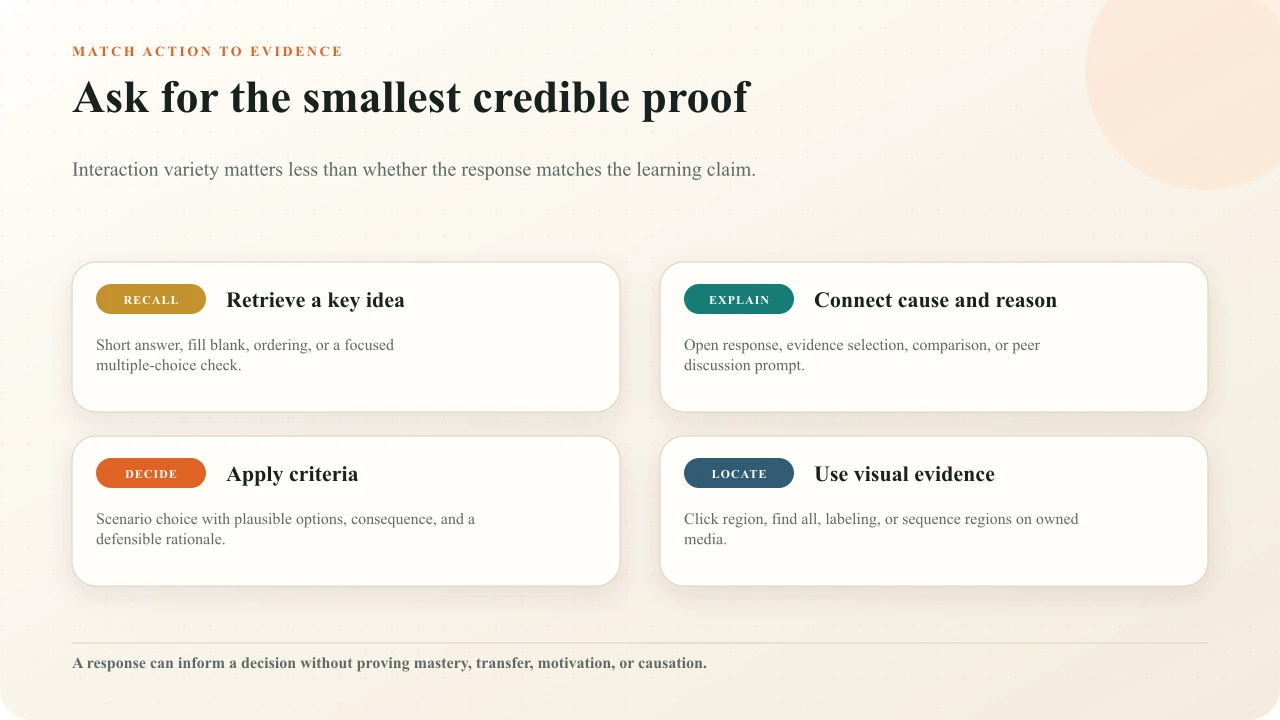
Recall can use a focused short answer, fill blank, ordering task, or well-written multiple choice. Explanation may need an open response, evidence selection, comparison, or discussion. Decision making needs plausible alternatives, relevant conditions, and consequences. Spatial recognition needs the learner to act on owned visual media rather than name a place from a list.
Retrieval can support learning, but the task and conditions matter. Karpicke and Blunt's experimental study of retrieval practicefound advantages over elaborative concept mapping for the tested science texts and later assessments. That result supports purposeful retrieval; it does not mean every pause should be a quiz or that one study settles every subject, age, format, and outcome.
Use the retrieval-practice-with-video guideto distinguish recall, recognition, and reflection; design corrective feedback; revisit knowledge over time; and keep immediate response data separate from retention and transfer claims.
Active learning is likewise broader than clicking. Freeman and colleagues' meta-analysis of undergraduate STEM coursescompared active learning with traditional lecturing across many implementations. Use it as evidence that learner activity can matter in relevant contexts, not as proof that any video interaction improves learning.
Place pauses at conceptual boundaries
Place the prompt after the learner has enough evidence and before the answer is leaked. Finish the sentence and coherent demonstration. Keep the decisive visual available while the learner responds. For a prediction, establish the conditions and pause before the outcome. For an explanation, complete the idea and ask the learner to reconstruct or apply it.
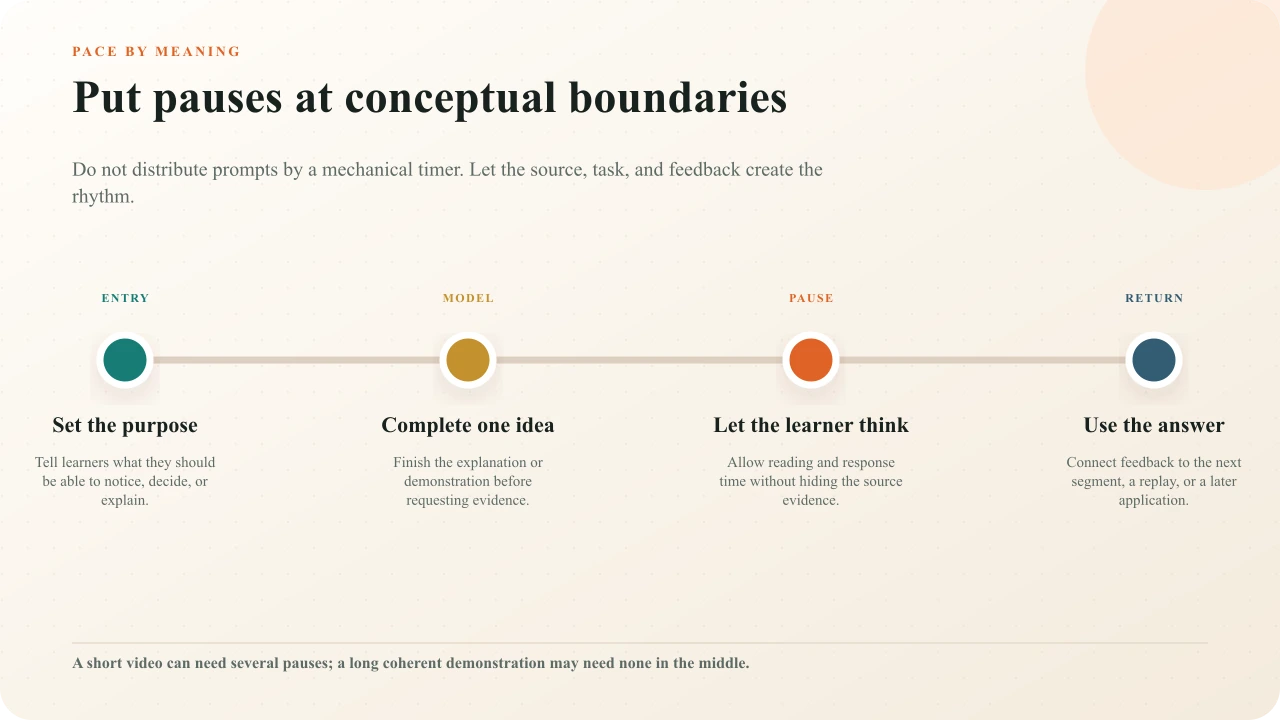
Avoid clusters of prompts that turn the lesson into form-filling. Avoid long stretches where the learner has no reason to attend. The right density depends on source structure, novelty, task complexity, stakes, and audience. Use the question-placement guide and question-density guide to audit the draft.
Make feedback change what happens next
Feedback should name the evidence, correct the model, and point toward the next useful action. For a plausible wrong answer, explain the clue the learner missed and offer the most targeted replay or example. For a correct answer, confirm the reasoning without simply restating the option. For an opinion poll, show context or discussion rather than a verdict. For a recorded open response, be honest if no immediate evaluation occurs.
Decide whether the learner retries, continues, branches, reviews the source, or receives human follow-up. The response should matter operationally. The feedback-writing guide provides patterns for explanation, misconception repair, and next steps.
Plan transfer beyond the player
End with a task that changes the context. Ask learners to diagnose a new case, compare an unfamiliar example, find the feature in their environment, explain the rule to a peer, perform under supervision, or bring a decision to a facilitated discussion. Repeating the final quiz is not the same as using the idea elsewhere.
Record who owns that next action and where it happens. A workplace lesson may hand off to a coach, checklist, sandbox, or observed task. A classroom lesson may hand off to peer instruction, laboratory work, writing, or a later retrieval opportunity. The video lesson is complete only when its ending makes the wider learning path clear.
Design accessibility into the lesson
Plan captions, transcripts, visual description, player operation, input alternatives, readable composition, timing, focus, and error recovery before production. The W3C's media-planning guidance places these responsibilities across the production workflow. Its caption guidance explains that captions must communicate speech and meaningful non-speech audio.
Universal design is not a request to remove legitimate challenge. CAST's UDL Guidelines organize options across engagement, representation, and action and expression. Preserve the intended thinking while removing unnecessary barriers: offer a keyboard and non-pointer path, name controls clearly, keep source evidence visible, allow sufficient reading time, and provide equivalent meaning when the task cannot depend on sight or hearing alone.
Run the complete interactive-video accessibility review
Check source media, captions, audio description, controls, focus, input, timing, mobile behavior, and the published path together.
Choose access, identity, and delivery
Decide whether learners enter by public link, restricted link, embed, or LMS context. Collect identity only when the learning decision needs it and the organization has a valid basis, notice, access control, and retention plan. Anonymous participation can be appropriate for low-stakes reflection; identified records may be necessary for an assigned program. Do not let convenience determine the data model silently.
Test the destination's actual constraints. An iframe may be clipped or blocked. An LMS launch may change identity, grade return, or navigation. A YouTube source must permit embedding. A mobile learner may enter from a message rather than the course page. Delivery is part of the lesson because it determines whether the learner can reach and complete it.
Test the published learner path
Cold learner test
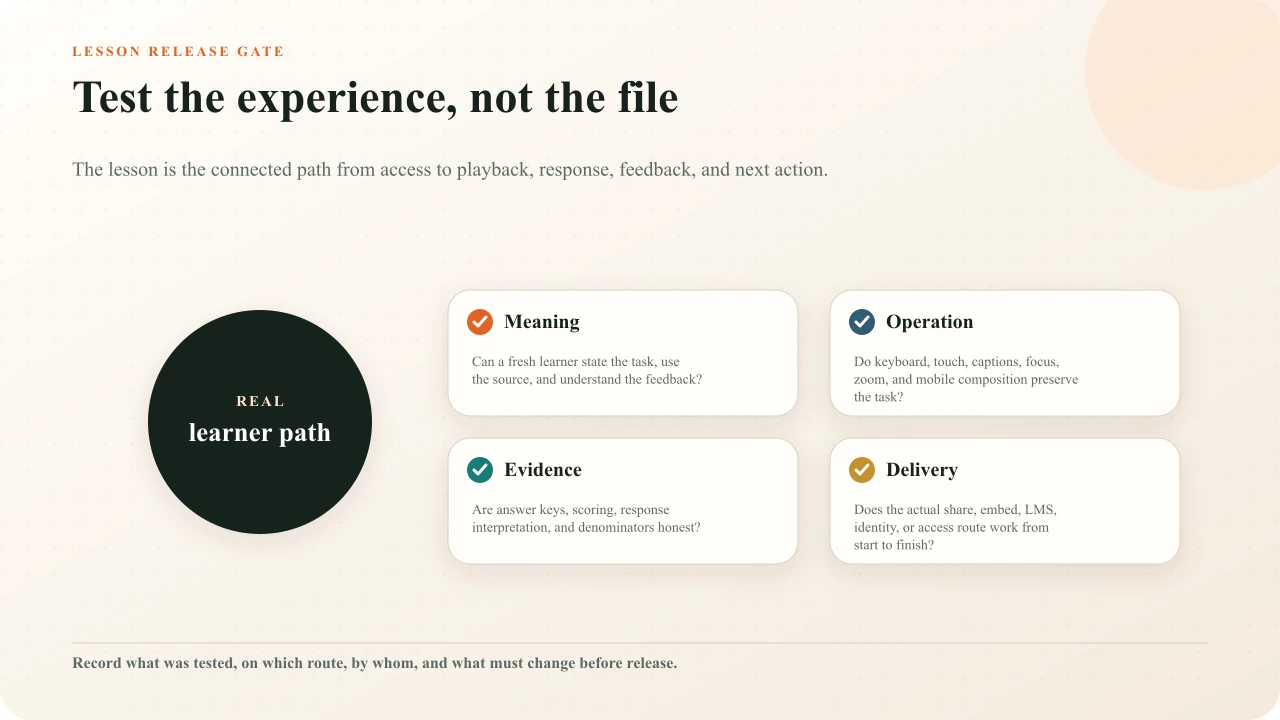
Ask someone unfamiliar with the draft to complete it and explain the task, evidence, feedback, and next action.
Answer-path test
Submit correct, plausible wrong, skipped, retried, and open responses; verify score, feedback, review, routing, and completion.
Operation test
Use keyboard, touch, zoom, captions, phone composition, and relevant assistive technology without changing the learning task.
Delivery test
Open the real share, embed, or LMS route as the intended identity and access state.
Content review
Have qualified reviewers approve source truth, answer keys, safety or policy limits, accessibility, and data use.
Release record
Record the tested version, route, browser, viewport, findings, fixes, approver, and next review trigger.
Use evidence to improve the lesson
After launch, inspect response distributions, completion, watch activity, support reports, learner comments, and facilitator observations in context. Define the time window and denominator. Separate anonymous and identified evidence where needed. Note changes to the source, prompt, answer, feedback, access, or audience before comparing periods.
A dominant wrong option may indicate a misconception, ambiguous item, answer-key problem, or weak explanation. A drop in completion may reflect access, assignment, duration, pacing, relevance, or technical failure. Product data describes recorded behavior; it does not diagnose the cause. Use the question-analytics guide and a bounded formative-assessment process to turn patterns into reviewable instructional decisions.
Translate the lesson arc into a production-ready script
Keep visuals, narration, learner action, evidence, feedback, accessibility, and continuation on one reviewable timeline.
Interakly product boundaries
Interakly can combine supported video sources with configured timestamped interactions, feedback, scoring, access, publishing, embeds, response records, and current analytics. The available interaction set depends on the source. Uploaded video supports spatial activities and complete segment-based branching that new YouTube authoring does not.
Interakly does not select authoritative content, establish permission, determine the correct pedagogy for every learner, certify accessibility or compliance, diagnose why a pattern occurred, or prove durable learning and transfer. Those decisions require qualified people, appropriate evidence, and review beyond the player.
Sources and further reading
- IES What Works Clearinghouse: Organizing Instruction and Study to Improve Student Learning
- Karpicke and Blunt: Retrieval Practice Produces More Learning Than Elaborative Studying
- Freeman et al.: Active Learning Increases Student Performance in STEM
- Cambridge Handbook of Multimedia Learning: Segmenting, Pretraining, and Modality
- Australian Education Research Organisation: Teach Explicitly
- CAST: Universal Design for Learning Guidelines
- W3C WAI: Planning Audio and Video Media
- W3C WAI: Captions and Subtitles
FAQ
What makes an interactive video a lesson?
A lesson has a defined learner outcome, adequate instruction or evidence, an action that matches the outcome, a response to that action, and a next use of the idea. A video with decorative pauses or disconnected trivia is interactive media, but not necessarily a coherent lesson.
How many interactions should an interactive video lesson have?
Use as many as the learning arc requires and no more. Place a prompt when learners should retrieve, explain, decide, locate, reflect, or apply—and when the response changes feedback or the next action. Do not distribute questions by a universal minute interval.
Should questions pause the video?
Pause when the learner must read, inspect the source, commit to a response, or receive blocking feedback. A passive note may not need to pause playback. The decision should follow the cognitive and operational task, not a visual preference.
Can I design the same lesson for YouTube and uploaded video?
You can preserve the outcome and much of the lesson arc, but the interaction plan must respect the source. Compatible non-spatial prompts can appear over an embedded YouTube video. Uploaded video is required for precise frame hotspots, click regions, related spatial activities, and complete segment-based branching.
How do I know whether learners understood the video?
Use a response that matches the intended knowledge or performance, inspect its limitations, and combine it with other evidence when the decision requires more certainty. Completion, clicks, watch progress, and a single correct answer do not by themselves prove durable understanding or transfer.
What should I test before publishing an interactive video lesson?
Test the real share, embed, or LMS route; access and identity; playback; timing; correct and plausible wrong responses; feedback; retry; scoring; completion; captions; keyboard and touch input; focus; zoom; phone composition; links; branches; and the next learning action.
Design one complete learning arc
Choose one outcome, teach the evidence, elicit a matched action, respond to it, and end with a use beyond the exact video the learner just watched.
Explore higher education